Time and cost tracking
Productively
From the timer to the invoice: I designed the workspace where a team's hours turn into project costs, reports and invoices.
- Role
- Product Designer
- Engagement
- Freelance, for a client
- Platforms
- Web app, iOS, Android
- Status
- Design delivered
About
What the product is
UsersPeople who log hours, managers who approve them, and the business that bills them.
Separate tools
Problem
The brief listed six jobs the product had to do. Taken one by one, they are six separate tools, not one product.
Main constraintNo existing product to redesign: only the client's concept and its list of capabilities.
- Time tracking
- Projects
- Expenses
- Approvals
- Reports
- Invoices
One shared model
Solution
Three ways to log hours, one shared model of projects and clients.
Reports, approvals and invoices read the same hours, so there is no second dataset.
Shared project + client model
- project
- client
- task
- billable
- Time tracking
- Projects
- Expenses
- Approvals
- Reports
- Invoices
What I delivered
Outcome
One workspace where time, cost and billing live together, on the web, iOS and Android.
My partI owned the UX and UI: the information architecture, the three ways to log time, the workspace around them and the detailed screens.
- 116desktop screensWeb app
- 110phone screens55 iOS · 55 Android
- 10areas in one navigationOne workspace
- 22marketing-site and brand-kit frames8 site · 14 brand kit
Brief
The product idea existed. The experience didn't
The client brought the concept and the capabilities it wanted. There was no existing product to redesign, so the whole experience, from logging an hour to billing it, was still to be designed.
Without that experience the capabilities would stay a pile of separate tools: hours could not be billed, projects could not show their cost, and a manager could see neither.
The client listed capabilities. Nothing yet tied them together. Three scenes: the client brief, the seats that work in the product, and the UX flows that followed.
A time tracking product
The client listed capabilities. Nothing yet tied them together.
The brief, summed up
Role
What I owned, and where the work stopped
I owned
Structure
Information architecture for the workspace.
Time entry
The three time-entry methods and how they share a project model.
One set of hours
Project overview, reporting and invoicing as the same hours, not a second product.
Web and phone
UX and UI across web, iOS and Android.
Visual system
The colours and type the screens share.
Outside my scope
Engineering
Engineering, and anything after handoff.
Outcomes
Nothing about what happened after handoff was measured.
Constraints
What the design holds to
One task
However the hours go in, every entry has the same project, client, task and billable fields.
Any basis
The tracking basis is one setting in Business Details, not a different product.
A native phone
The phone is a native surface, not the desktop squeezed.
Settings stay settings
Templates, tags and categories exist, but they never become the product.
Billable, end to end
Billable is one switch on the row, and reports and invoices use that same switch.
A dialog, not a toast
Trial expiry is a dialog: while days are left it can be closed, but once the trial has ended it offers only Log Out or Activate.
Goals
What the product had to be able to do
These were the design jobs, not measured outcomes: six things the product had to do, from setting up a business to sending an invoice. Each card shows the part of the delivered screen that does it.
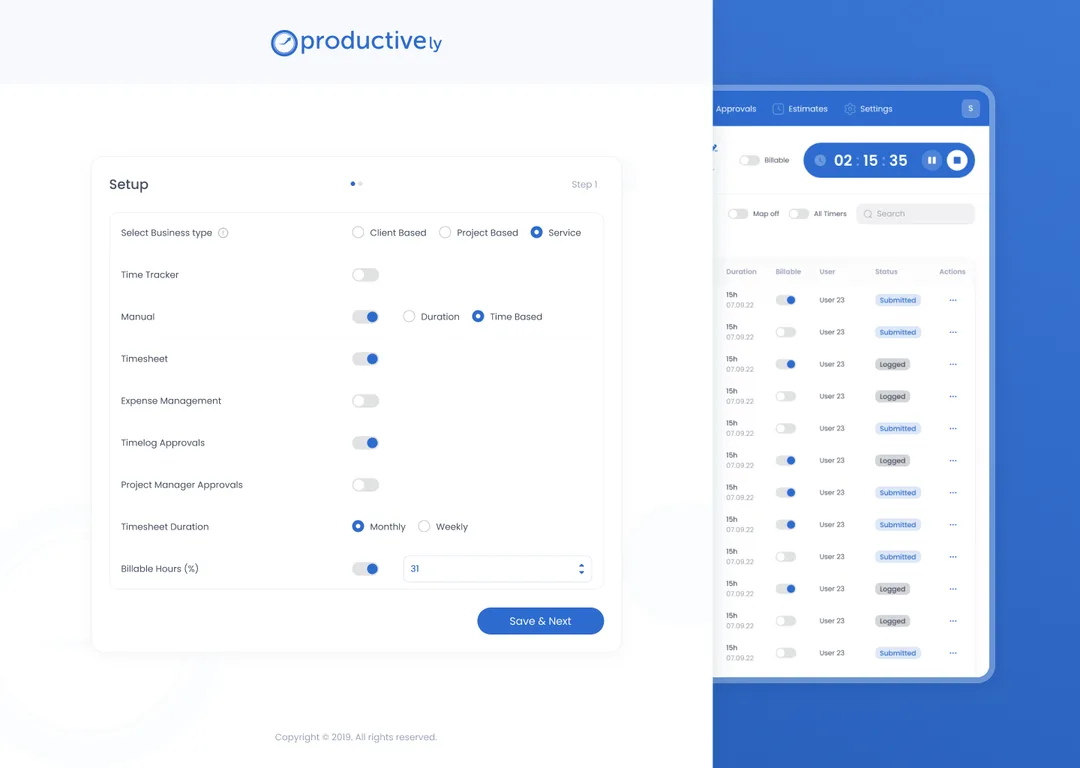
Set up per business
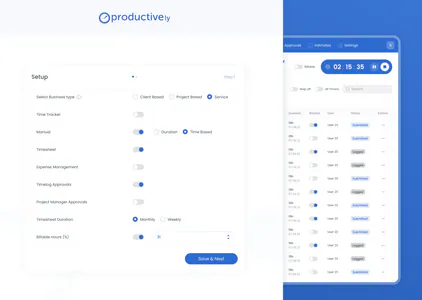
A business picks client-based, project-based or service-based tracking, and turns each way of logging on or off.
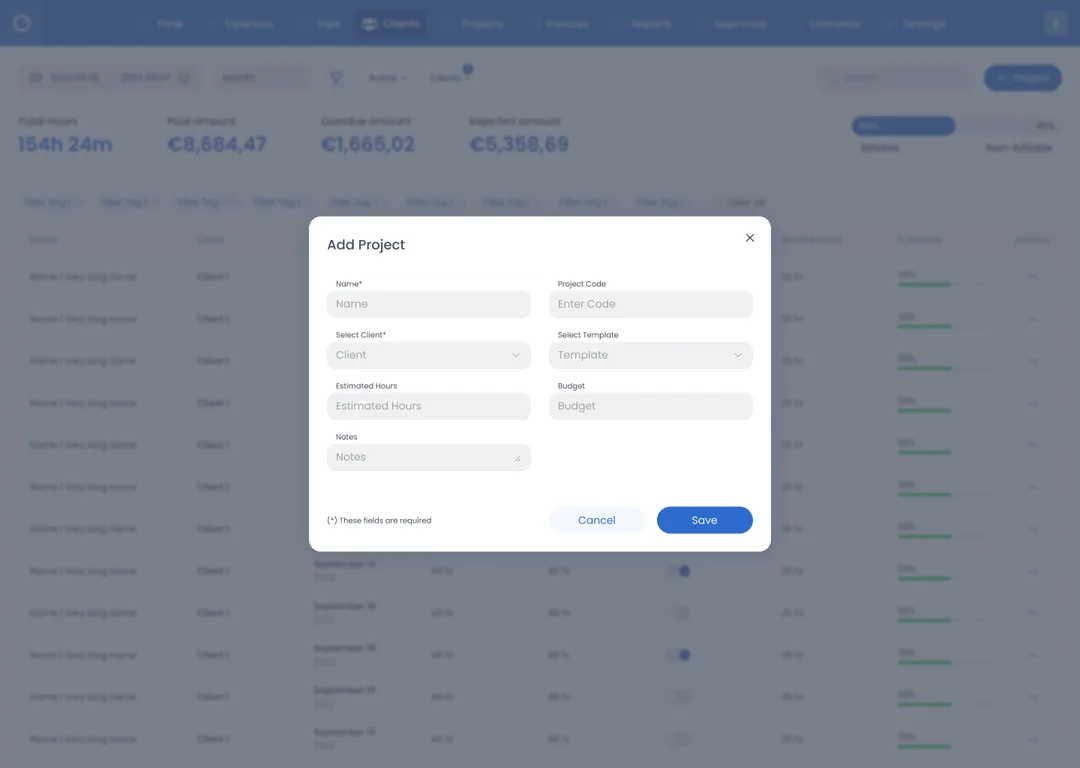
Projects from templates
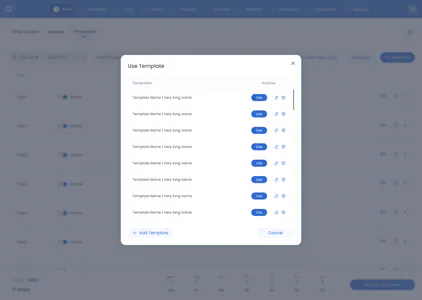
A new project starts from scratch or from an estimate, and can take its tasks from a template.
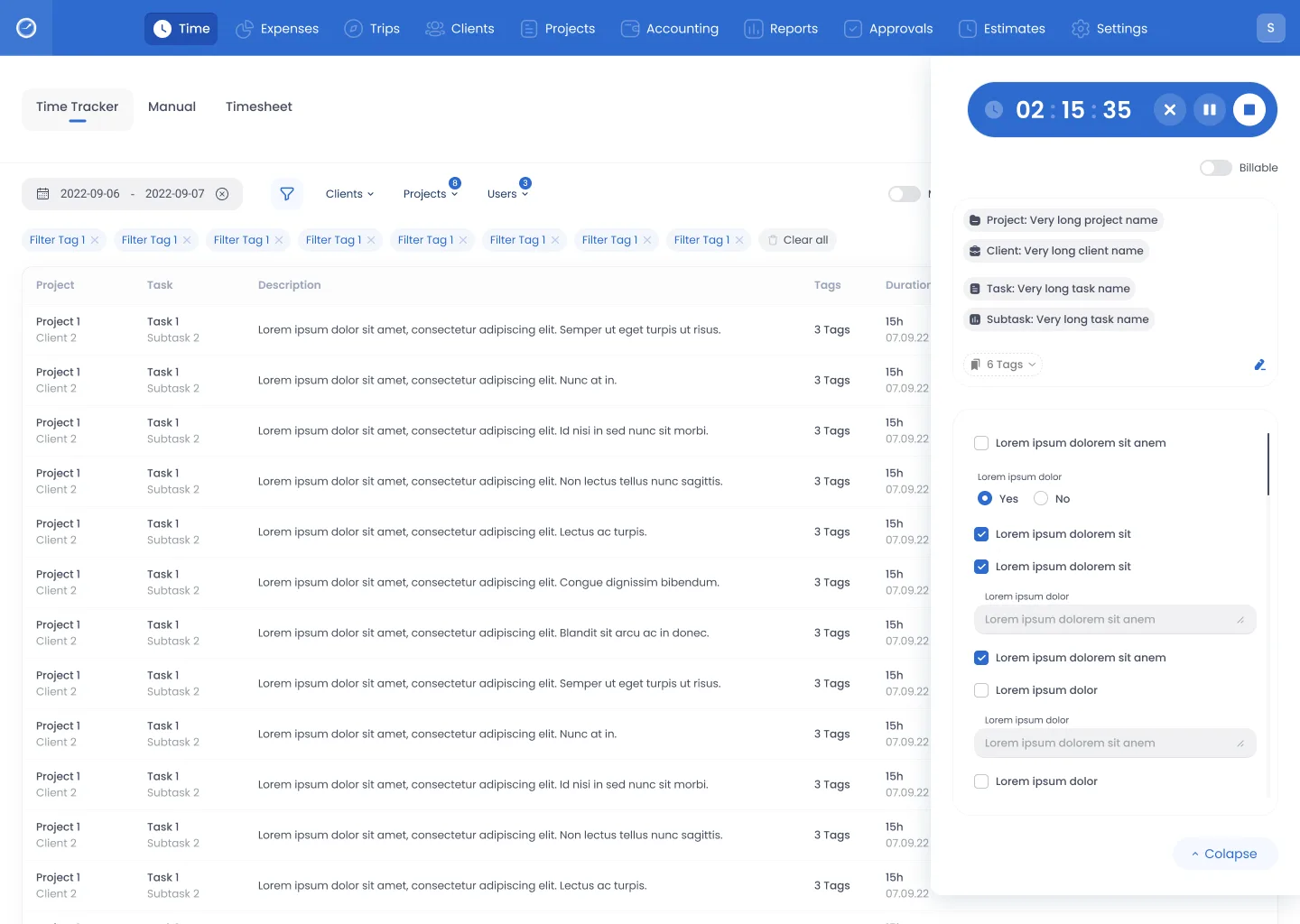
Three ways to log
Start a timer, add hours by hand or fill in a timesheet, whichever fits the moment.
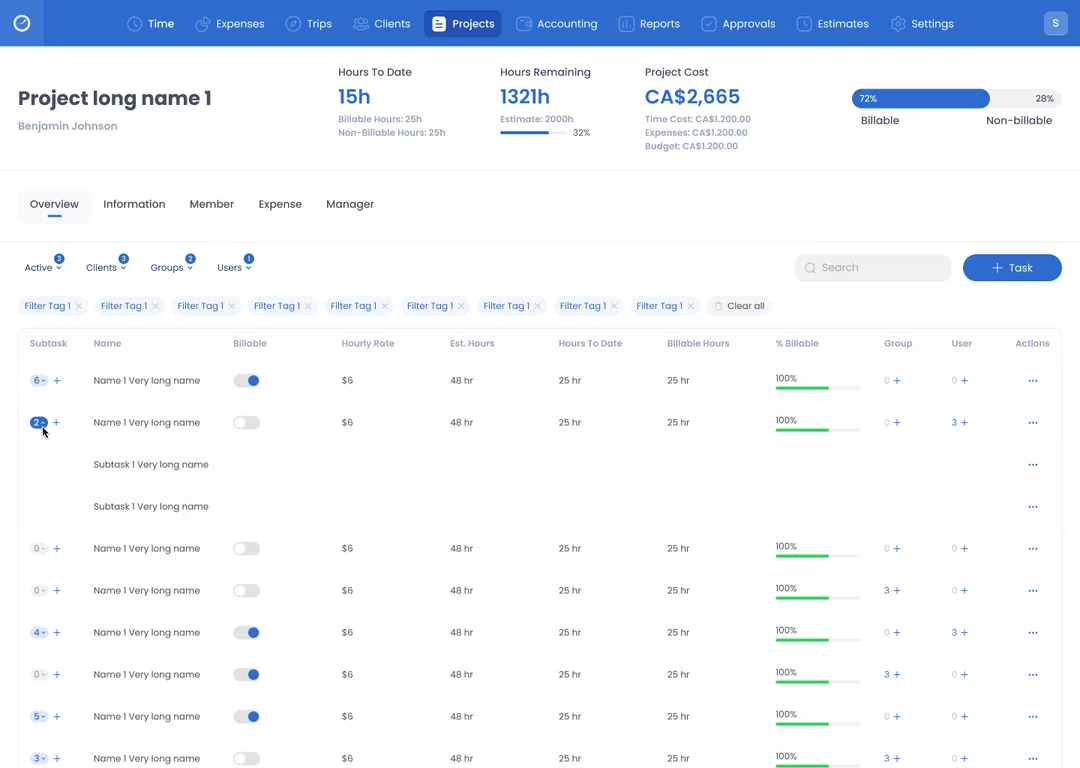
Cost on the project
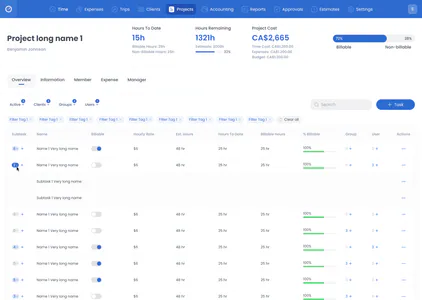
A project shows hours to date, hours remaining, cost and billable share on one overview.
Reports from the same hours
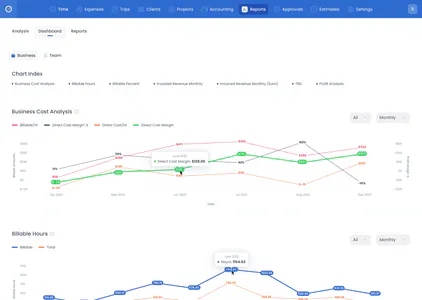
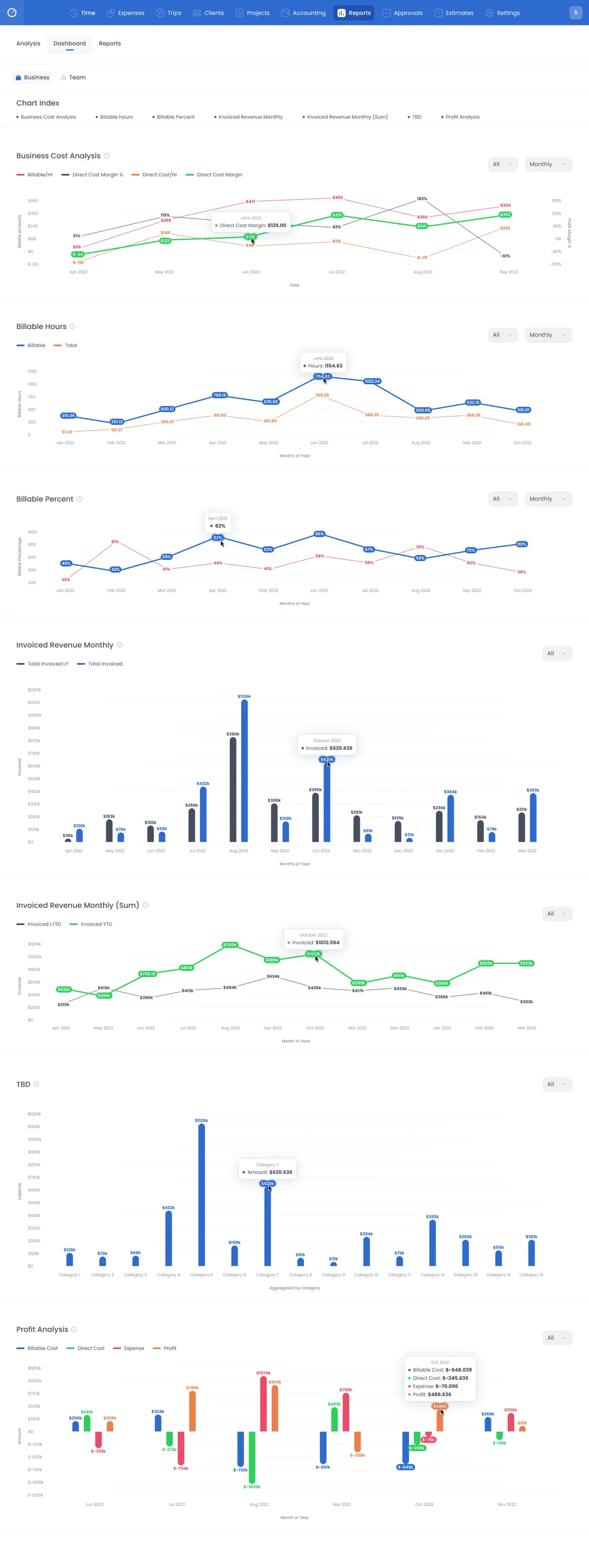
Reports on profit, billable hours and business cost come from the same entries the team logged.
Timer to invoice
The path from a running timer to an invoice does not leave the workspace.
Solution
Turning the brief into a delivered design
I designed the product from information architecture and key flows through wireframes to the detailed screens. Time is logged three ways, each project shows its own cost, and reports and invoices come from the same logged rows.
01 of 04
How the work ran
Three steps, from naming the jobs to the delivered screens.
Ideation
Name the jobs: log, cost, approve, invoice.
IA and wireframes
Ten areas in the nav; three methods inside Time.
Interface
The delivered screens, on web, iOS and Android.
02 of 04
One decision
How should someone log time, when the same hours later become a timesheet, an approval and a line on an invoice?
Judged on three tests
- A row still says how it was entered.
- Starting a timer is never slower than opening a sheet.
- A manager sees the same rows the logger wrote.
- A
One smart field
It guesses tracker, manual entry or timesheet from what you type.
Fails test 1: a guess hides how the row was entered.
- B
Timesheet only
The week is the unit, and a timer is an extra.
Fails test 2: there is no timer to start when the work starts.
- Chosen
Three methods as tabs
Tracker, manual entry and timesheet, each first-class, sharing project, client and billable.
Passes all three tests.
Why this one
People log hours while the work happens, after it, or as a sheet at the end of the week. Each moment has its own tab; one project model keeps them one task.
Trade-off
More chrome in Time: a first-time logger picks a method before a project.
Risk
Someone lives in one method and never finds the other two.
Reversibility
A fourth method is one more tab. Merging two methods later means moving every row already logged.
03 of 04
How time is logged
The chosen answer, as the delivered design shows it.
Three tabs of Time
Tracker, Manual and Timesheet are tabs of one area, not three items in the nav.
Each method can be off
A business turns the tracker, manual entry and the timesheet on or off in its setup.
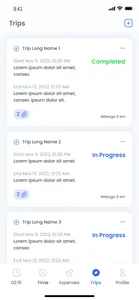
Two methods on the phone
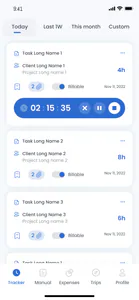
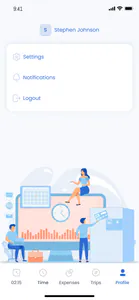
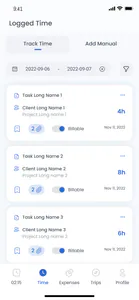
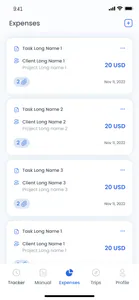
The phone keeps tracking and manual entry; it has no timesheet.
Three phone tab bars
Three different tab bars were drawn for the phone app.
04 of 04
From hours to invoice
Cost does not wait for a report: it shows on the project while the hours are logged, and the invoice is made from those hours.
Cost on the project
A project's overview shows its cost next to its hours and billable share.
Approval has its own area
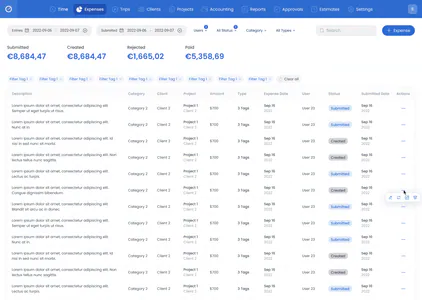
Timesheet approval and manager approval sit together in Approvals.
Invoices from logged hours
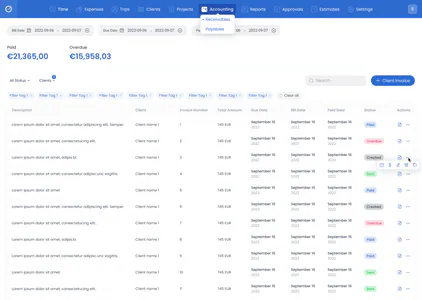
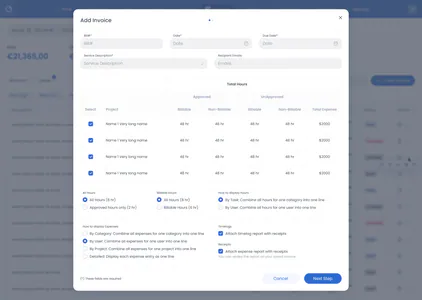
An invoice takes logged hours, all or approved only, with the timelog attached.
The product has three jobs. Each has its own place in the main navigation: Time, Reports and Accounting.
Track time
Hours logged against a project and a client
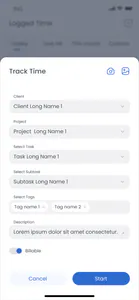
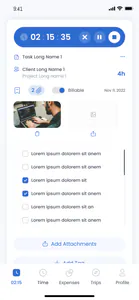
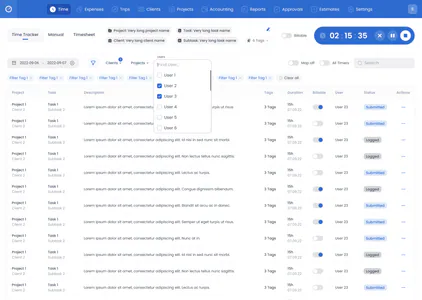
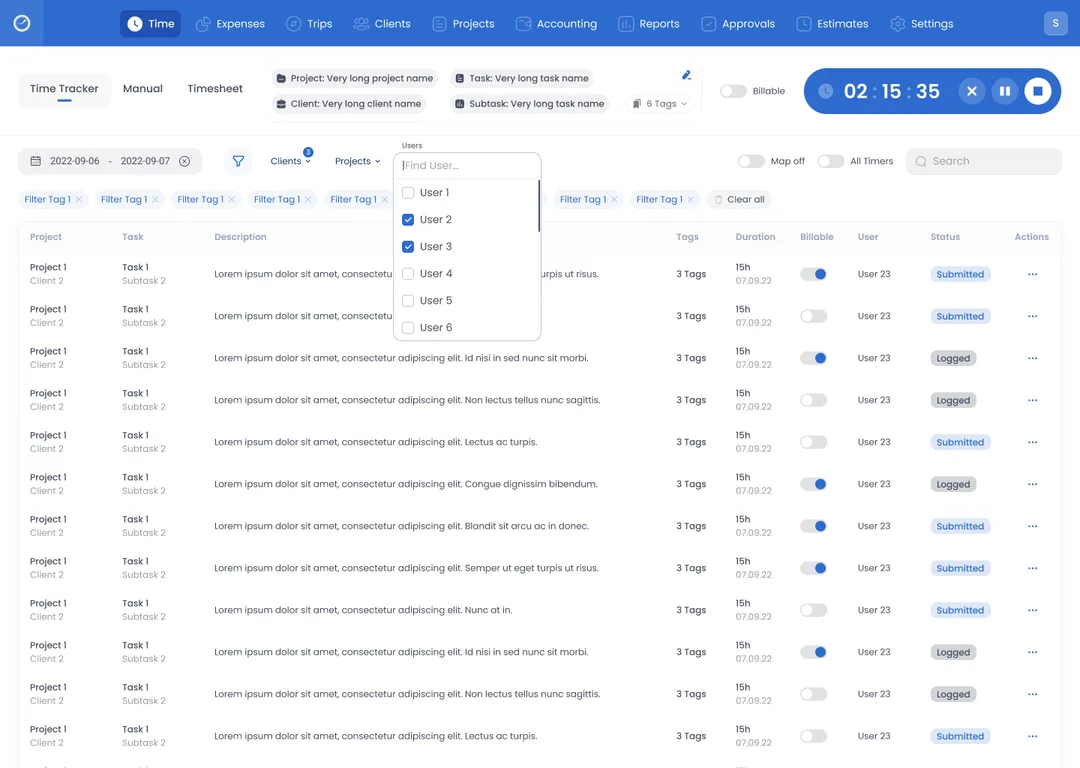
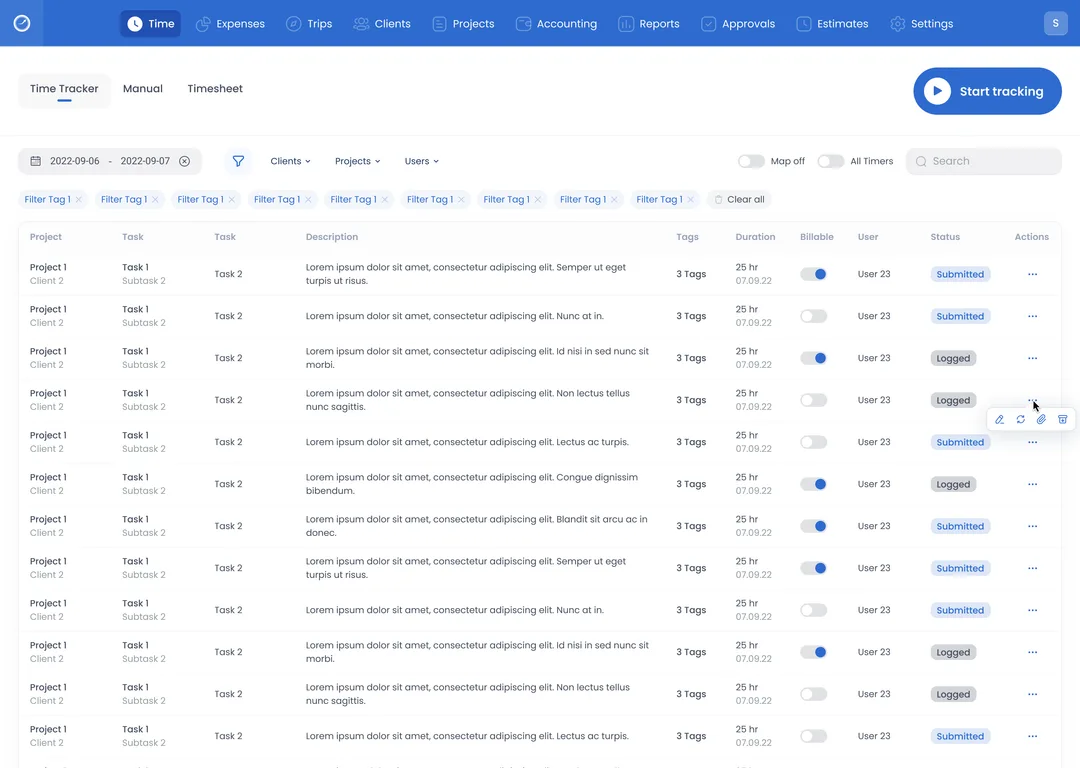
The timer runs against a project, a client, a task and a subtask, and one switch marks the hours billable. Below it, each logged entry shows its duration, whether it is billable and its status, Logged or Submitted. Above the entries sit a date range and a search, with filters for clients, projects, users and tags.
Report and visualize
The same hours as totals, a daily chart and groups
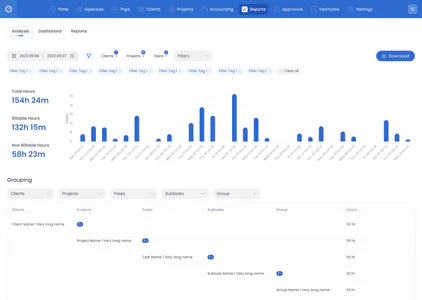
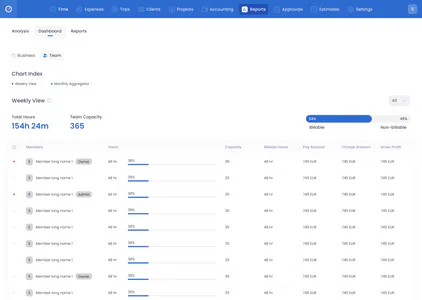
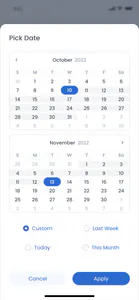
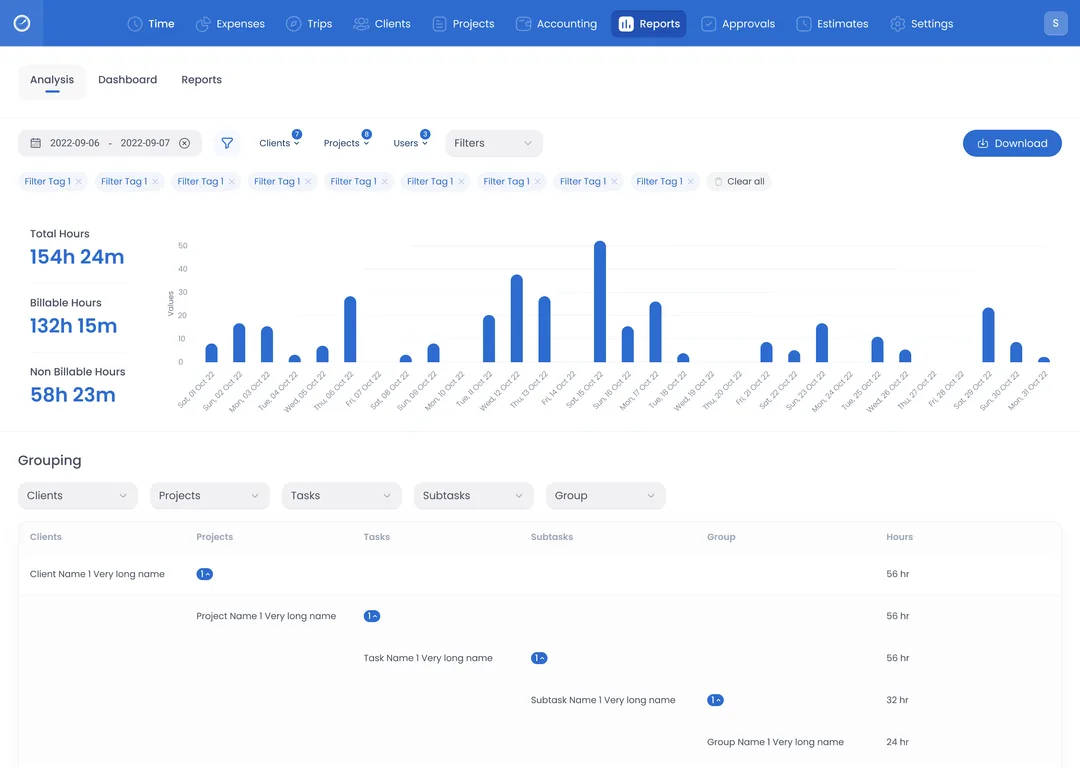
Analysis takes a date range, filtered by client, project and user, and shows total, billable and non-billable hours, a bar for each day, and the hours grouped by client, project, task and subtask. Two dashboards follow: Business, with cost, profit and invoiced revenue, and Team, with each member's hours against capacity.
Invoice and get paid
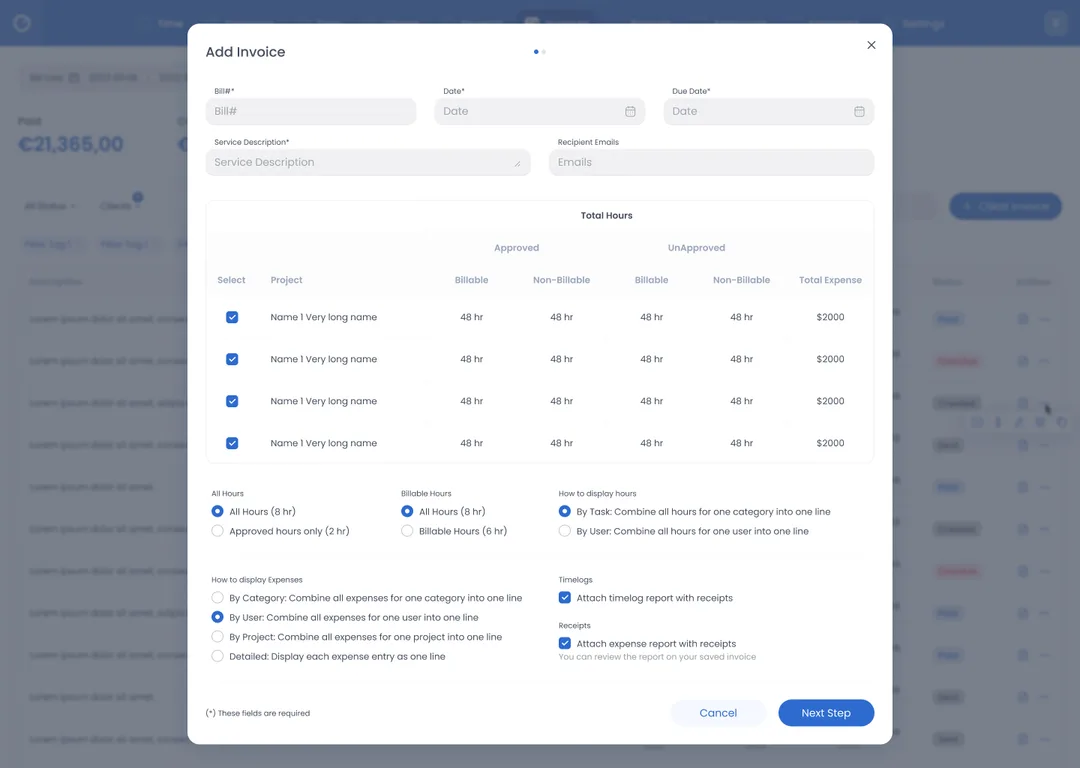
Logged hours priced into an invoice
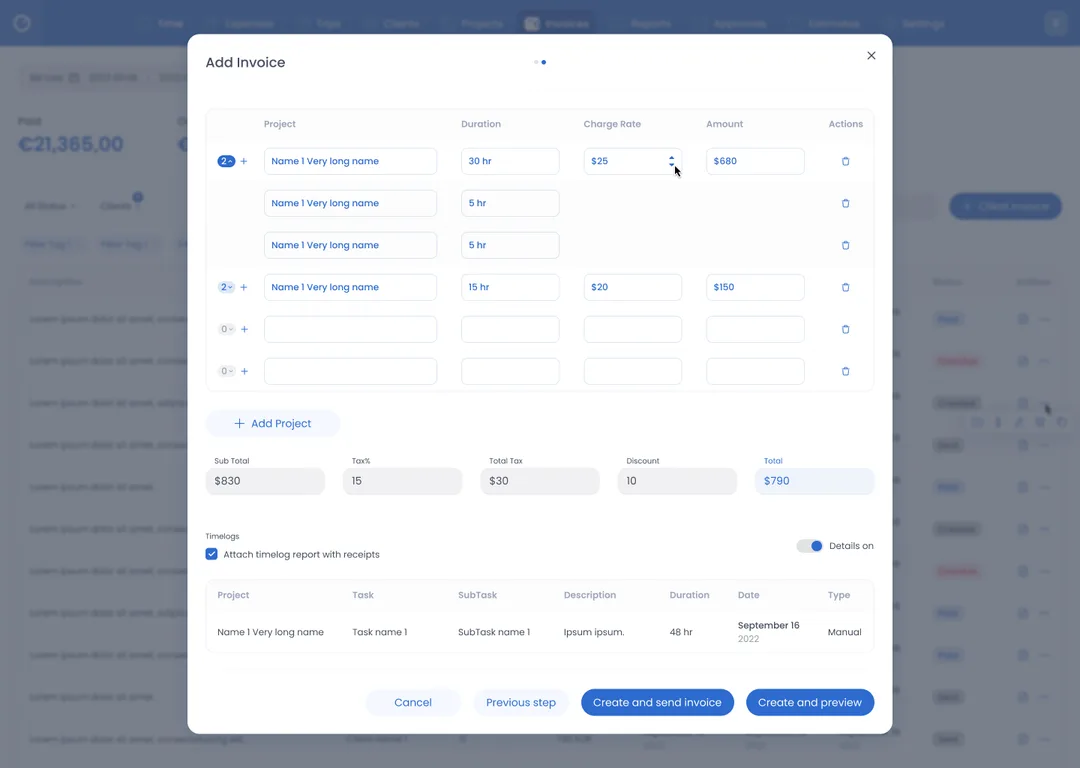
Step one of an invoice lists each project's hours, approved and unapproved, billable and non-billable, beside its expenses. Step two gives each project one line, its duration times its charge rate, then adds tax and a discount. Receivables show the paid and overdue totals, and each invoice is marked Created, Sent, Paid or Overdue.
Design QA Meridian FoodsSupplier portal2h
Component library Halden & RoeBrand refresh3h
Pick list CastlebrookWarehouse tooling1h
Payment step Aventine GroupCheckout flow3h
Chart specs Meridian FoodsReporting v21h
Onboarding audit CastlebrookWarehouse tooling1h
Flow
From a running timer to a number a manager can stand behind
Start the tracker
Pick a project and a task, then start.
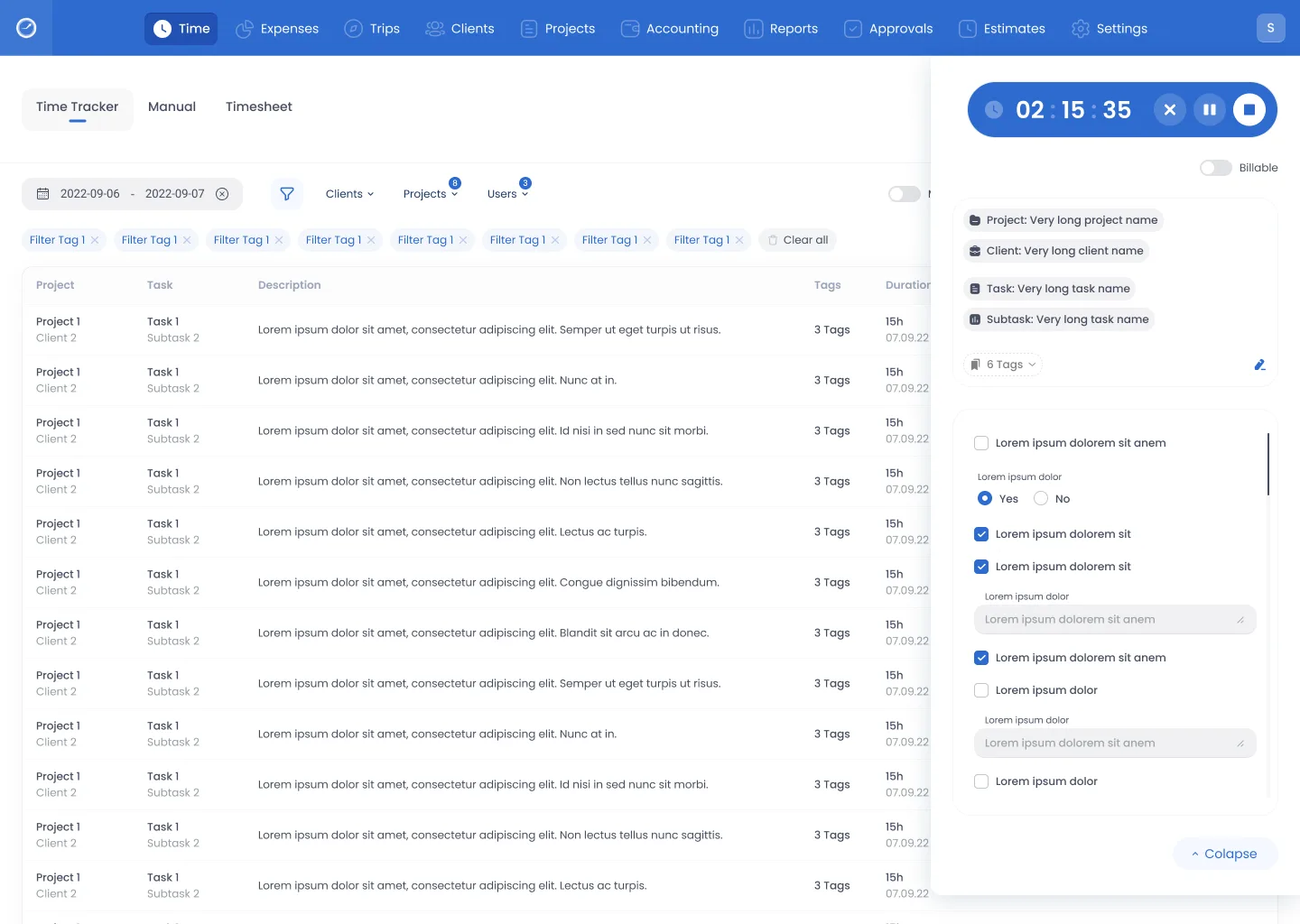
The timer's card stays beside the table while it runs: project, client, task and subtask, any tags, and a billable switch. The row appears
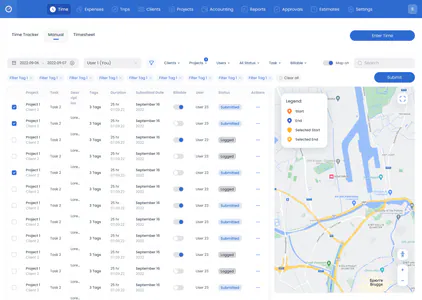
A map can sit beside the rows.
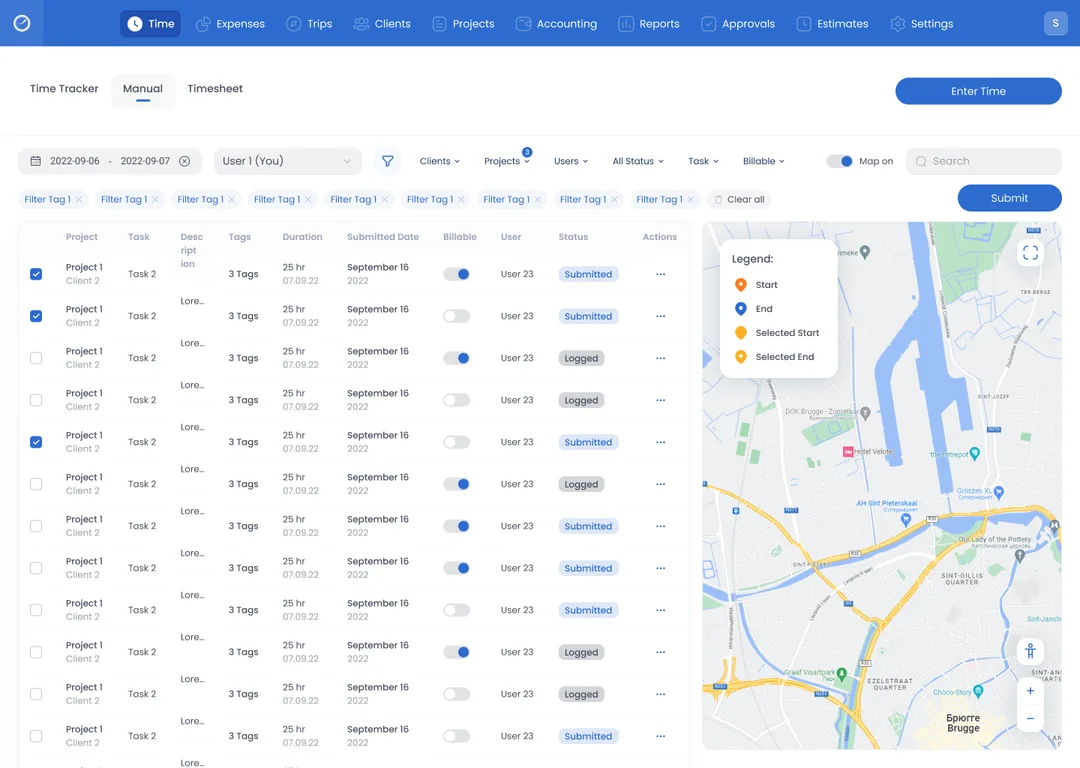
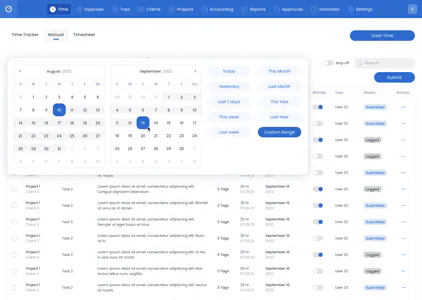
Under Manual, the Map on switch puts a map beside the logged rows. Its legend marks where entries start and end, and which of them are selected. The project holds the cost
Hours and cost live on the project.
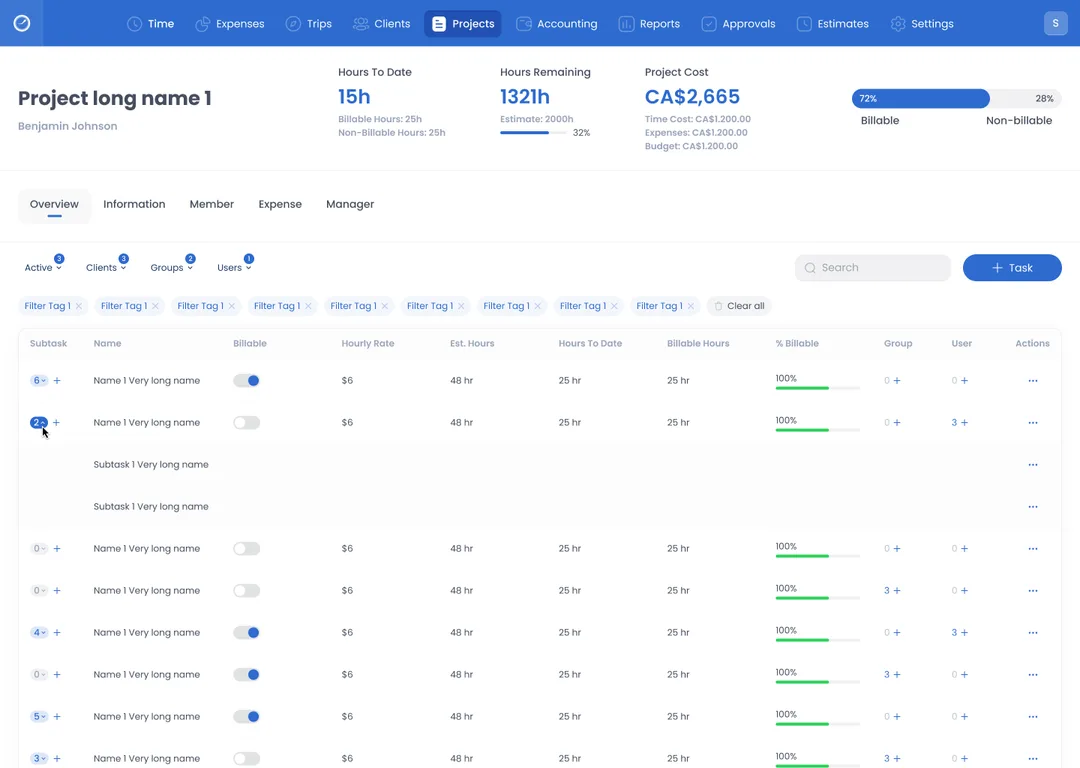
The cost is split into time cost, expenses and budget, and the hours remaining are set against the estimate. Each task shows its hourly rate, estimated hours, hours to date and billable share. Close the period
The week goes out as one timesheet.
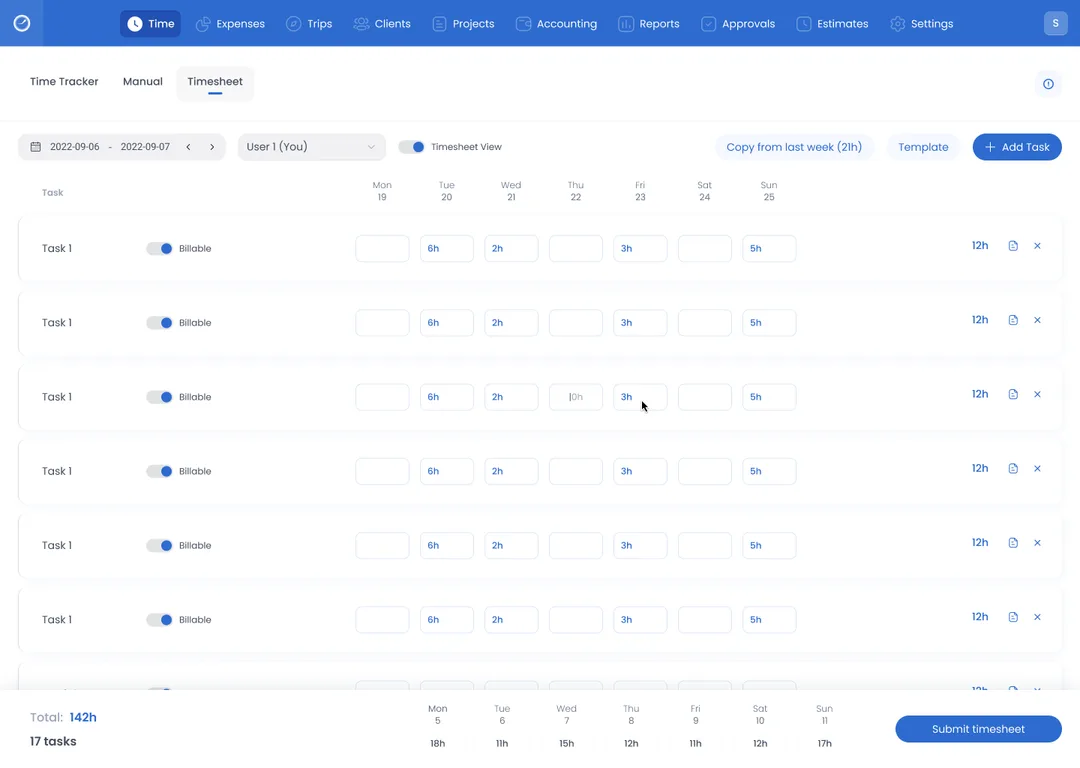
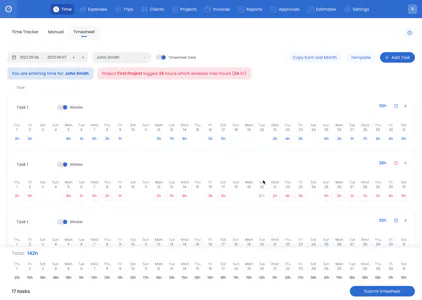
A week of hours, task by task, each marked billable or not. Copy last week or use a template, then submit the timesheet. Someone approves
A manager approves or rejects it.
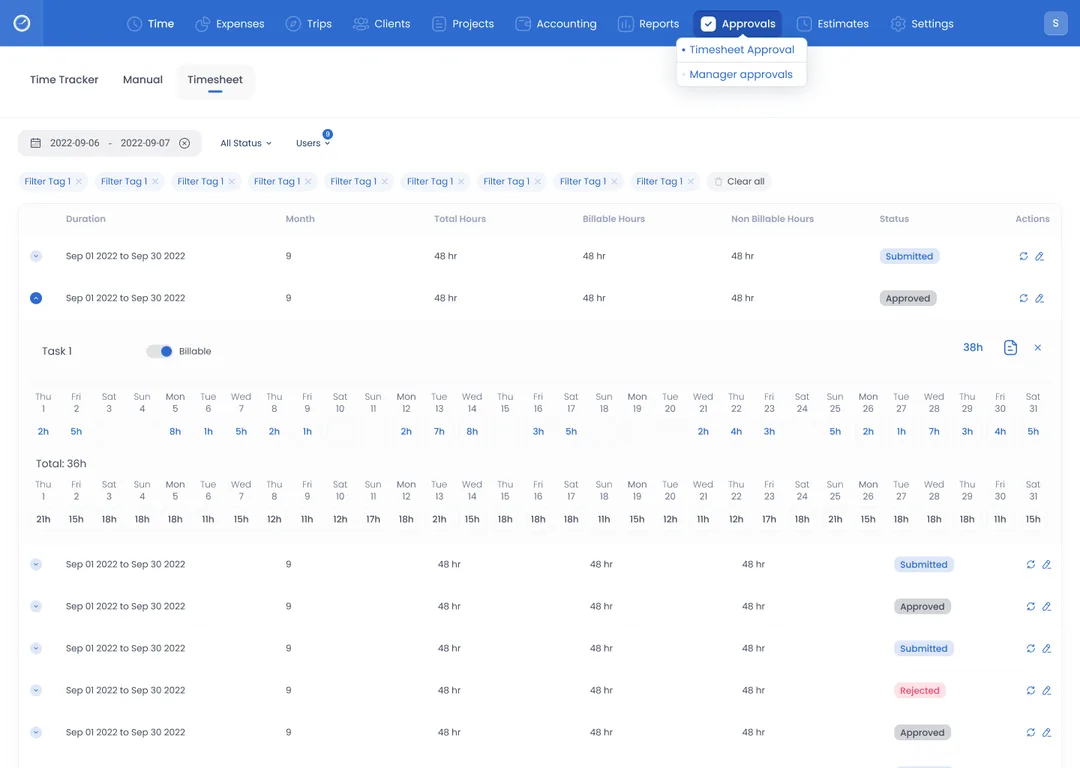
Under Approvals, each period shows its total, billable and non-billable hours and opens down to single days. Its status reads Submitted, Approved or Rejected. The hours add up
Reports turn the hours into amounts.
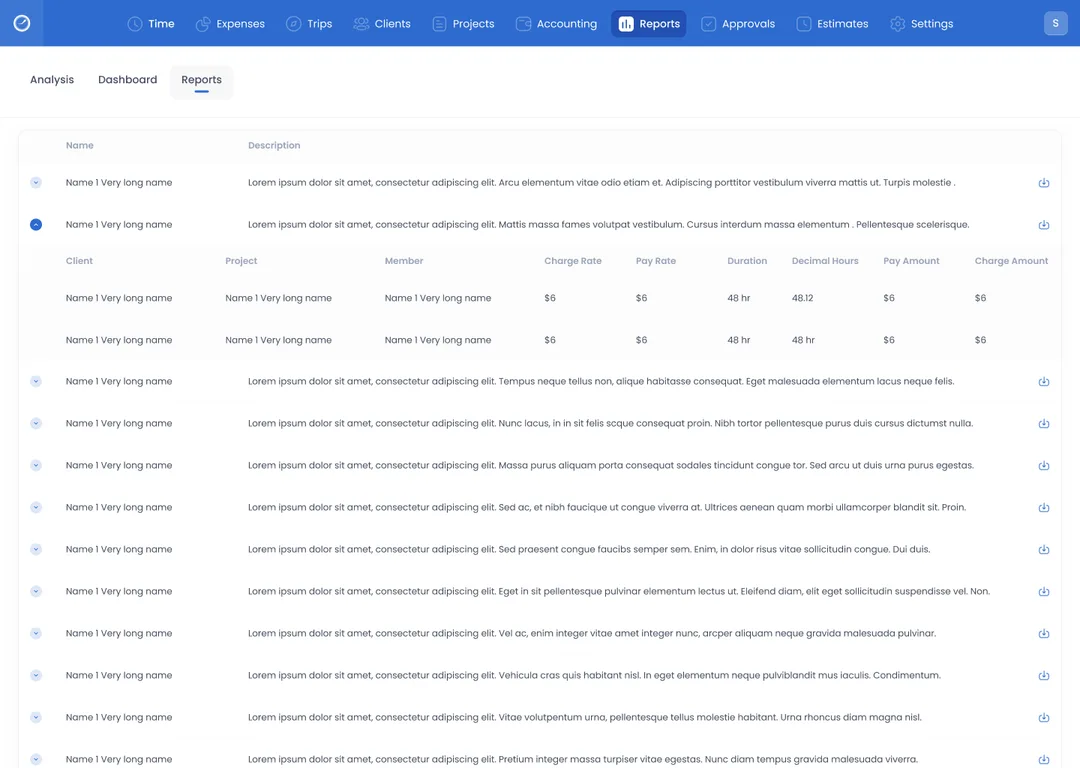
Each row names a client, a project and a member, with the charge and pay rates, the duration and both amounts. Every report can be downloaded. The hours become an invoice
The bill is made from logged hours.
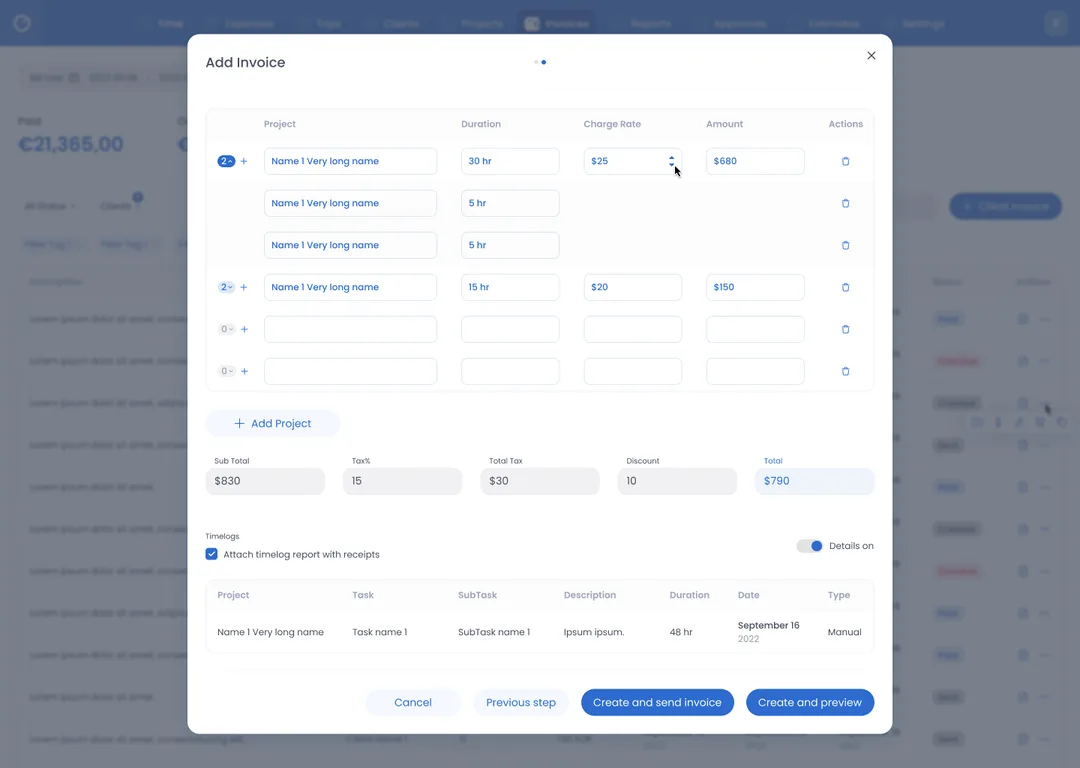
Before the invoice goes out, the timelog report can be attached: the logged rows behind the bill, each with its task, duration, date and type. Then it is created and sent, or previewed first.
States
Beyond the happy path
Idle
Nothing is being tracked: a Start tracking button sits where the running timer would be.
On the phone, Start is inactive until the form is filled in.
Trial ending
Before the trial runs out, a dialog says how many days are left and offers Continue or Activate.
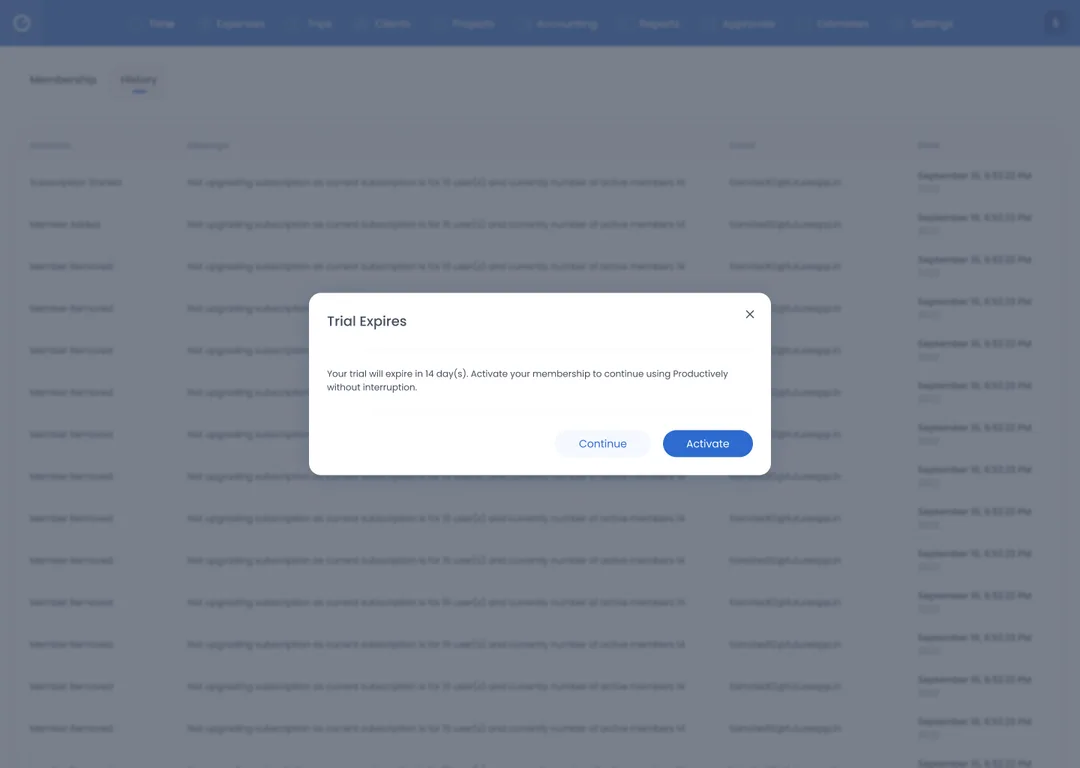
Once it has expired, the × is gone: only Log Out or Activate.
Near limit
When someone enters time for another user, an orange banner warns that the project is close to its maximum hours.
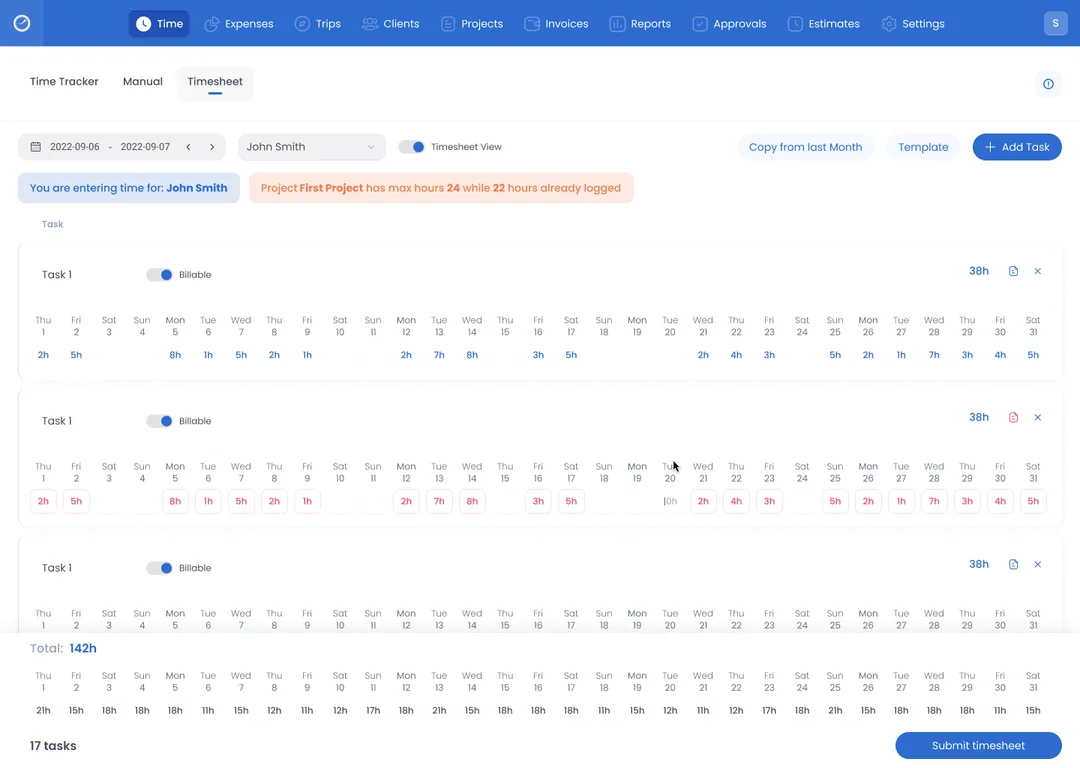
A dialog lists each project’s maximum hours per month.
Limit exceeded
Once the maximum is passed, the banner turns red and shows the hours logged against it.
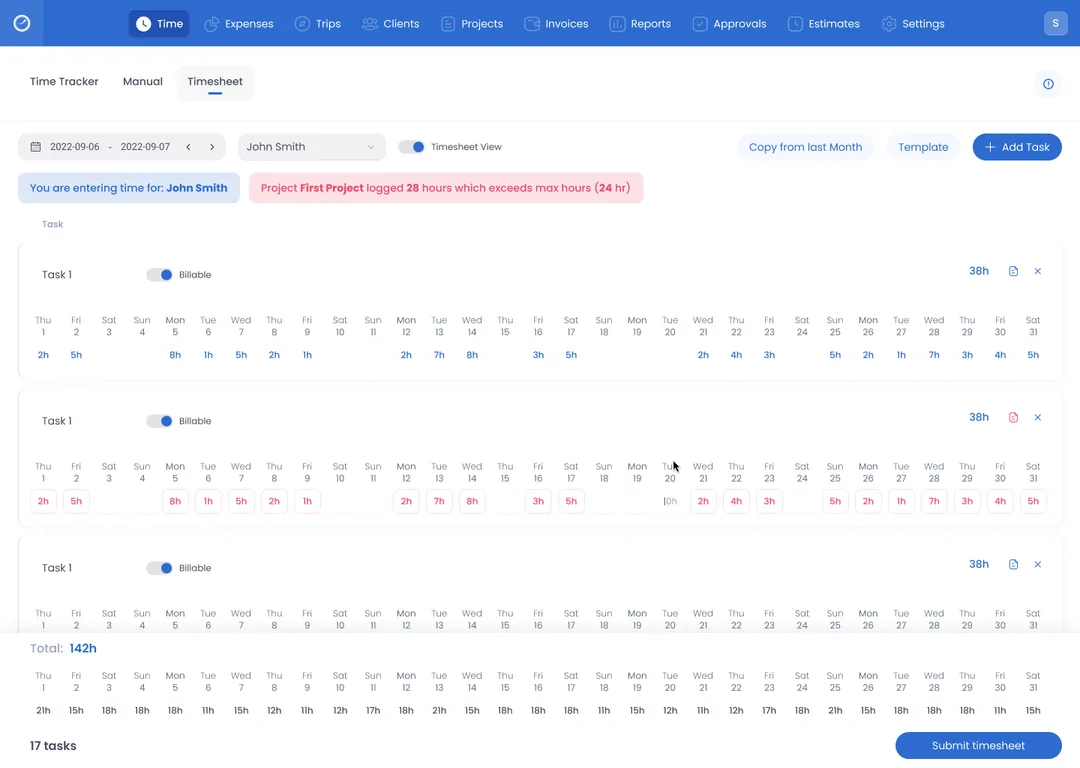
The row stays editable, and Submit timesheet stays in place.
System
A workspace this wide needs one visual language
Productively has ten areas on the web, and phone apps for logging time, expenses and trips. It only holds together if colour, type and controls are decided once. That is what makes tracking, approvals, reports and invoices feel like one product, not four tools that happen to share a logo.
The style guide sets a blue primary, a green secondary and Poppins for headings and body. The blue marks navigation, the timer and the current tab, and the screens use it in shades, from the pale fill of a filter chip to the deep blue of the current area. The green marks completed work and positive cost, and each status is a strong colour on a pale fill of the same hue.
Colours
Pick a colour on the wheel
- Inner ring: the primary and its blues, lightest to ink
- Outer ring: the secondary and the statuses at their own hues
Type
- Time trackerH1 · Poppins Black 32Screen titles
- Timesheet approvalH2 · Poppins SemiBold 24Titles one level down
- Supplier portal · Design QABody · Poppins Regular 14The first line of a row
- Meridian Foods · Table statesCaption · Poppins Medium 12The second line, dense enough to scan a day
- 02:15:35Display · Poppins BoldThe running timer, not a heading face
- Regular 400
- Medium 500
- SemiBold 600
- Bold 700
- Black 900
Components
- Primary tabOne task, three ways to log it
- Filter chipNarrows the table without leaving it
- Billable toggleA row is billable or it is not
- Running timerTimes the task in hand, with discard, pause and stop
- Data tableThe record of what has been logged
- Nav barTen areas of one workspace
Delivered
A complete experience from tracking to reporting
What “complete” means here
- TimeThree ways on the web, two on the phone.
- ApprovalsSubmitted hours are approved or rejected.
- Cost and reportsProject cost and reports use the same hours.
- InvoicesMade from those hours, timelog attached.
Each step has its own screens, and so do the 14-day trial, the marketing site and the brand kit.
The delivered design connects time tracking, project cost, approvals, reports and invoicing: the hours logged in one are the hours the others count. I designed it from the brief to the detailed UI.
Delivered designThis covers the delivered screens only, nothing after the design work.
Design QA Meridian FoodsSupplier portal2h
Component library Halden & RoeBrand refresh3h
Pick list CastlebrookWarehouse tooling1h
Payment step Aventine GroupCheckout flow3h
Chart specs Meridian FoodsReporting v21h
Onboarding audit CastlebrookWarehouse tooling1h
Reflection
What I’d keep, change and validate next
What I’d keep
Hours carry into the invoice
A new invoice starts from the logged hours, can take approved hours only, and attaches the timelog.
What I’d change
One name for one area
One nav item reads Accounting on the base screens and Invoices on others. I’d pick one, as one area needs one label.
What I’d validate next
Two questions with no data
Do people find the Manual and Timesheet tabs? Does approved-only billing fit how teams bill?