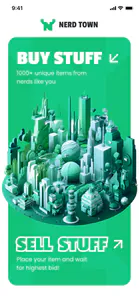
Crypto marketplace
Nerd Town
From the catalog to the escrow: I designed a collectibles shop where people buy and sell with Bitcoin Cash.
- Role
- Product Designer
- Platforms
- Web app
- Status
- Design delivered
About
What the product is
UsersCollectors and sellers who buy and sell in Bitcoin Cash, without an email address.
Separate parts
Problem
A collectibles shop needs six parts. Taken one by one, they are separate pieces, and no sale can finish.
Main constraintBuyers pay strangers in Bitcoin Cash, so the money had to wait until the seller approved each sale.
- Catalog
- Selling
- Account
- Cart
- Wallet
- Escrow
Around one listing
Solution
All six parts work on one listing.
The listing a seller writes is the one a buyer finds, puts in the cart and pays for.
Listing
- item
- BCH price
- quantity
- seller
- Catalog
- Selling
- Account
- Cart
- Wallet
- Escrow
What I delivered
Outcome
One shop where a collector buys and a seller approves the sale.
My partI designed the buyer's way through the shop, the seller's, and the wallet between them.
- Desktopthe shop on a large screenMenus, filters, dialogs
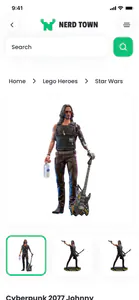
- Phonethe shop laid out for a phoneCatalog to wallet
- Style guidecolours and the Poppins type scaleDesktop and phone alike
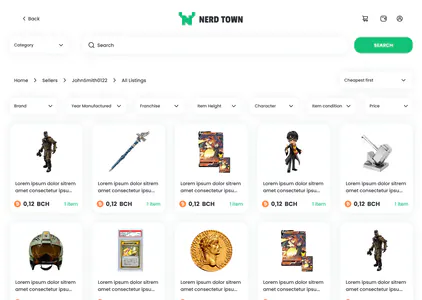
- Profilesa seller's page and your ownPolicies and listings
Brief
An eBay-like shop. A crypto checkout. No product yet
The client came with an idea for a crypto marketplace — an eBay-like shop for collectibles, with bidding, a catalog and wallets — but no designed product yet. My job was to turn that list into an interface people could use: a cart that completes a purchase, a wallet that makes the currency feel normal, and an escrow that holds the money until the seller approves.
Without that interface the list would stay a list: a collector could find an item but not finish buying it, and Bitcoin Cash, not the collectibles, would be the first thing people saw.
Find the needs, then pick one to mark the words it was read from. Three scenes: the client brief, the seats that work in the product, and the UX flows that followed.
The needs in the brief
Find the needs, then pick one to mark the words it was read from.
The brief, summed up
Role
What I owned, and where the work stopped
I owned
Purchase path
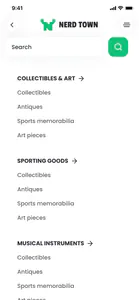
Catalog, category menu, filters, listing, cart and checkout as one purchase path.
Wallet
The in-app Bitcoin Cash wallet — balance, history, deposit, withdraw.
Selling
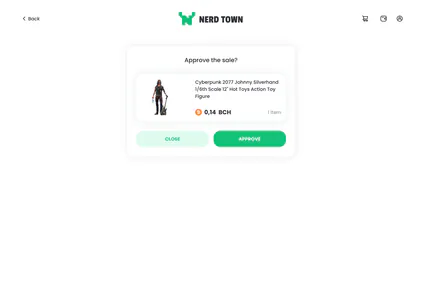
Seller listing, sale approval (the escrow) followed by the parcel tracking number, and the seller profile.
Sign-in and pages
Sign-in without an email address, the footer's pages (terms, privacy, about us, FAQ) and the contact form.
Desktop and phone
UX and UI on desktop and on the phone.
Outside my scope
Chain and custody
Blockchain integration, custody, and anything after handoff.
Outcomes
Nothing about sales or conversion was measured.
Constraints
What the design holds to
Crypto in its place
Bitcoin Cash shows on the prices and in the wallet, and stays quiet everywhere else.
Offer or buy
Bidding was in the brief. The seller's List item dialog speaks of an offer or a direct purchase; the buyer's listing buys with Add to cart.
No email needed
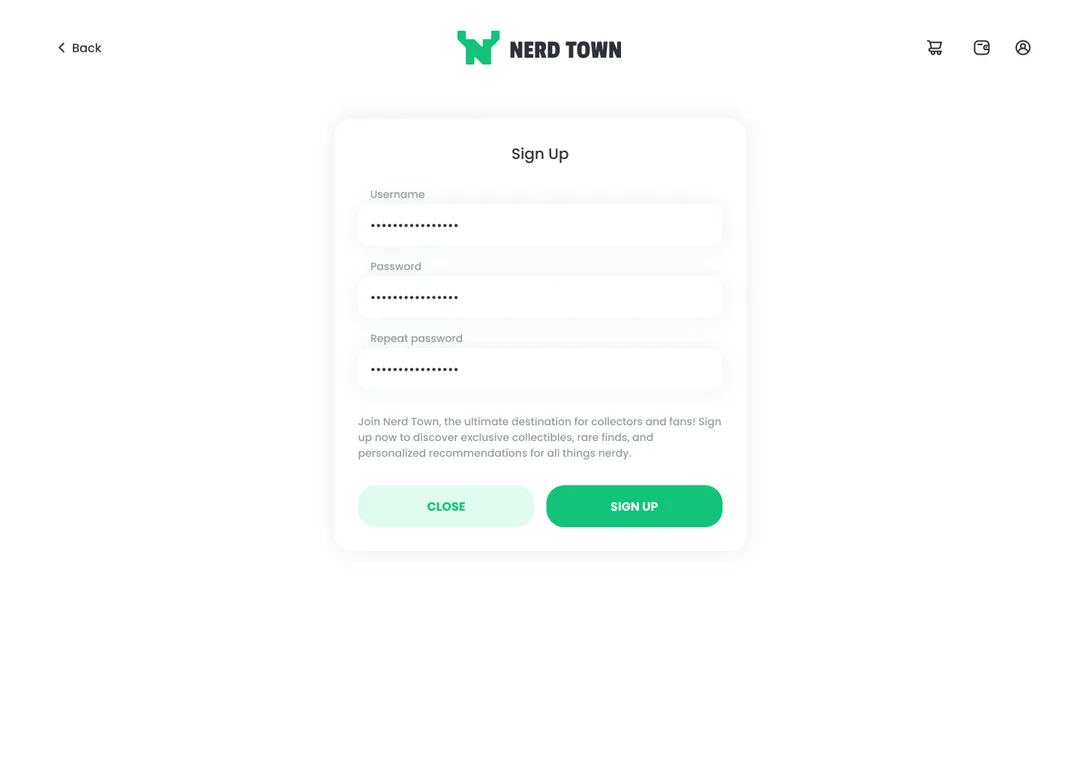
Signing up takes a username and a password, never an email address.
Held until approved
A purchase waits in the buyer's wallet as Pending approval until the seller approves it, then reads Approved.
Money in the shop
Deposit and withdraw are dialogs on the wallet page, with the address, the amount and the fee in view.
A phone of its own
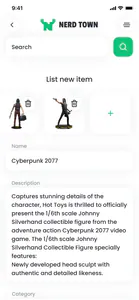
The phone has layouts of its own, not the desktop squeezed.
Goals
What the shop had to be able to do
These were design jobs, not measured outcomes: the project's goals as the things a buyer and a seller do in the shop, from joining it to selling in it. Each card shows the part of the delivered screen that does it.
Join under a username
Joining asks for no personal details: a username, then a password typed twice.
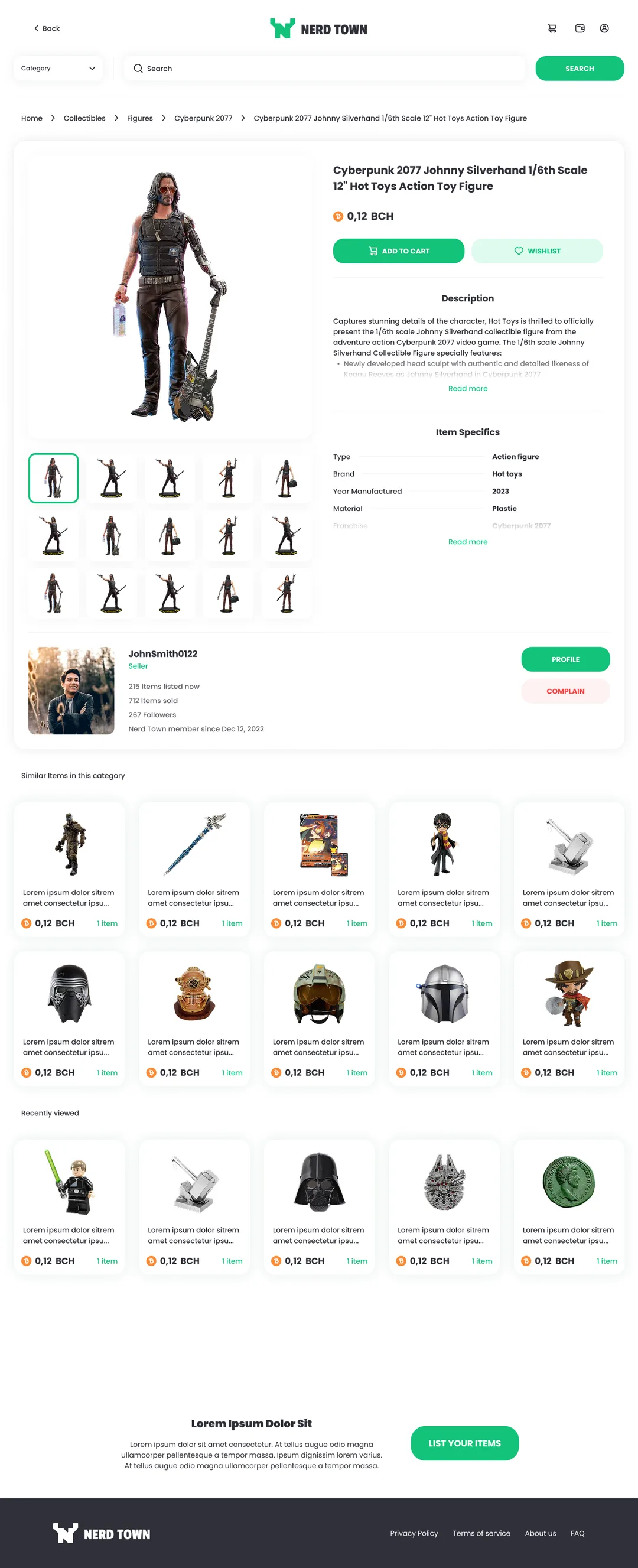
Know the seller
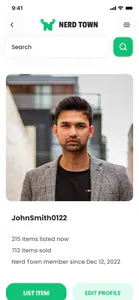
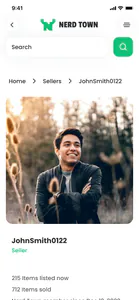
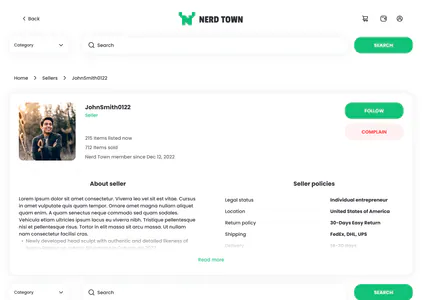
A buyer can check a stranger before paying: the seller's card under the item, with their sales, followers and join date, and Profile or Complain.
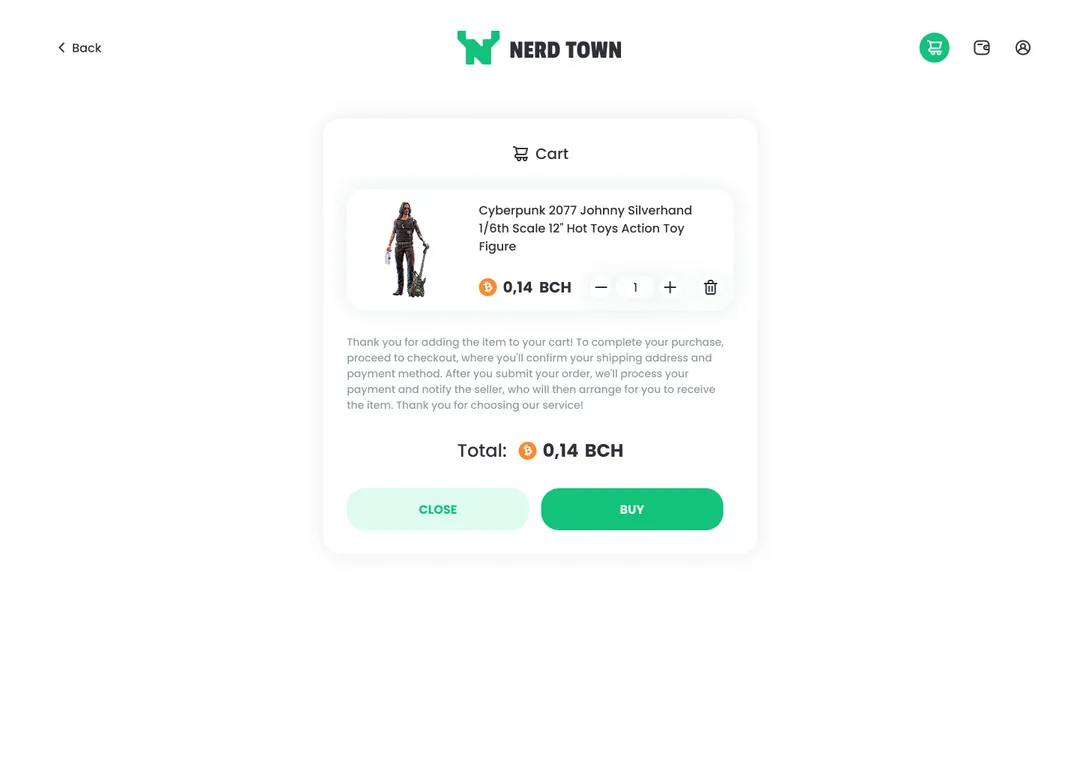
Bitcoin Cash at checkout
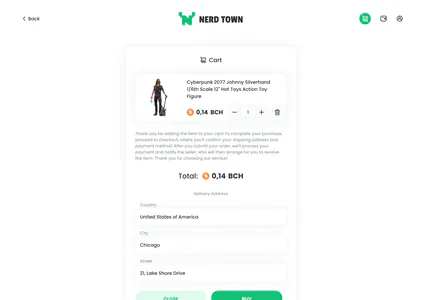
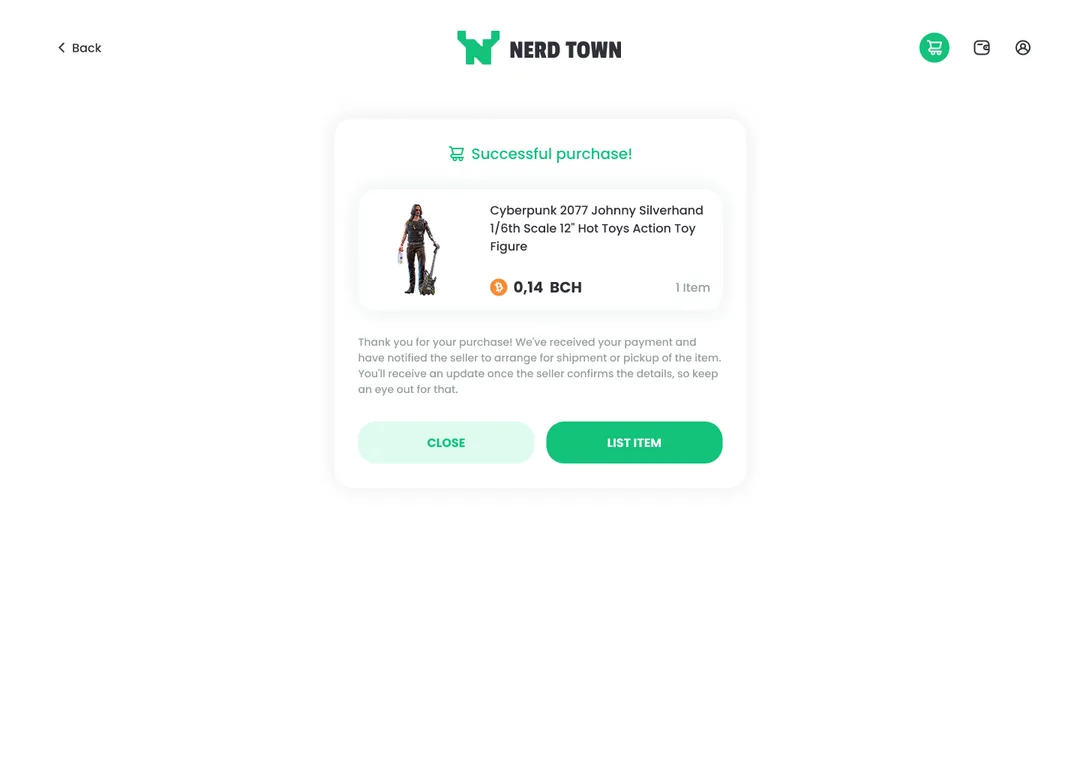
Paying in Bitcoin Cash works like any checkout: the cart adds up the order in BCH, and Buy submits it.
Finish the purchase
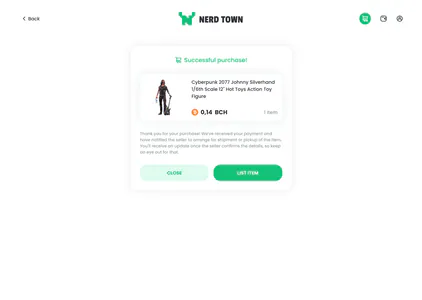
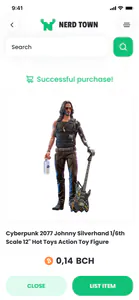
A buyer finishes without leaving the shop: the payment is confirmed, and the seller is told to arrange shipment or pickup.
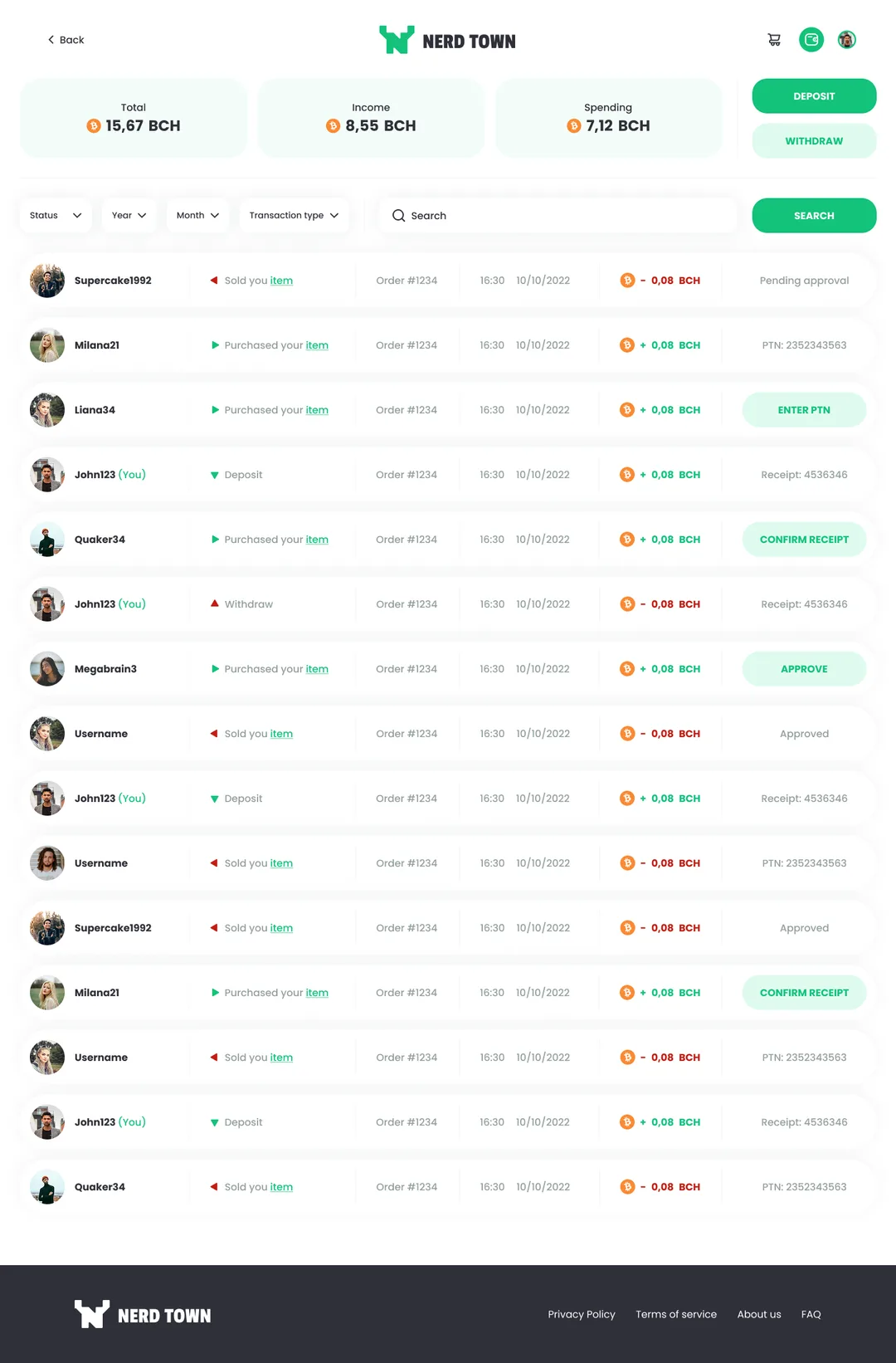
Where the money stands
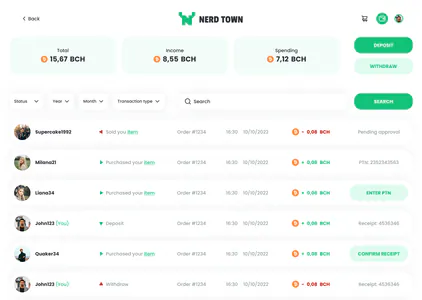
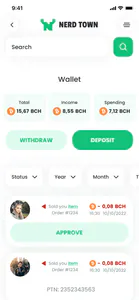
Each sale or purchase has its own row in the wallet, with its status or the next step to take, under the balance and the money in and out.
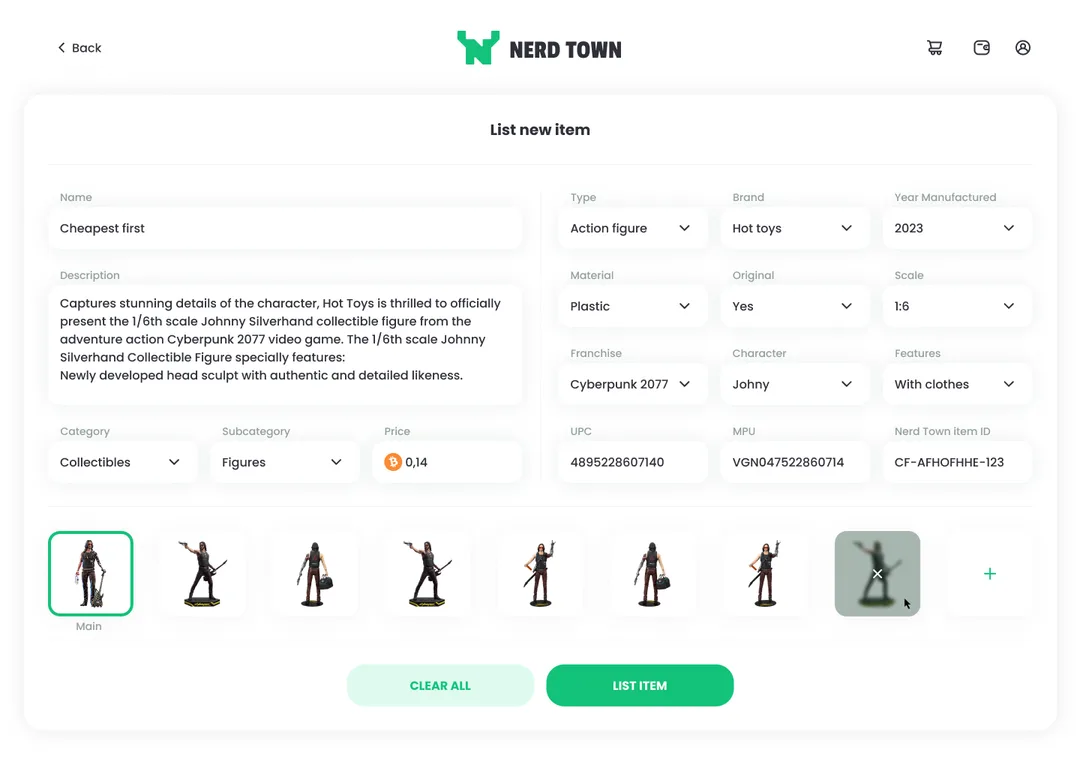
Both sides of the shop
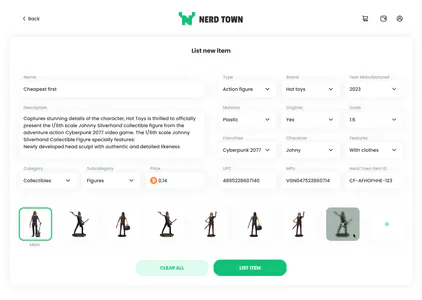
Selling happens in the same shop: a seller lists an item on one form, with its details, its category and a price in Bitcoin Cash.
Solution
A shop where a sale can finish, with crypto in the background
I designed the product from the catalog and the listing to the cart to work the way online shops usually do. For the wallet, the hold and the sign-in, neither other shops nor crypto apps had an answer that fit, so each got one of its own.
01 of 04
Design process
The hard part of each step, in the order a collector meets them.
Narrowing without getting lost
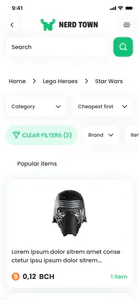
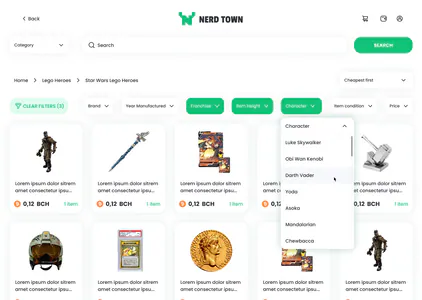
A breadcrumb over the grid shows where you are, the filters in use stay highlighted in one row, and Clear filters takes them all off.
Judging a figure on screen
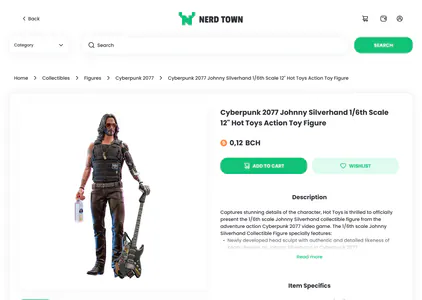
The listing opens on a large gallery, with the description and the item specifics beside it.
Delivery without a name
The cart takes the delivery address as a country, a city and a street, and no field asks for a name.
02 of 04
Where Bitcoin Cash lives
Where does Bitcoin Cash live, if the product is a shop and not a wallet?
Judged on three tests
- Someone with no Bitcoin Cash yet can start with the items.
- A seller sees what a sale brought in without leaving the shop.
- A listing still looks like a listing.
- A
Checkout only
Connect, pay and forget: the shop keeps no balance.
Fails test 2: every payout is someone else's problem.
- B
Wallet first
The home screen is a balance, with the catalog behind it.
Fails test 1: the collectibles come second to a balance.
- Chosen
A wallet beside the shop
A wallet page of its own behind the header's icon, and a price in Bitcoin Cash on every listing.
Passes all three tests.
Why this one
People come for an item or for a sale. The balance is the account behind both, so it stands beside the catalog, not in front of it.
Trade-off
Two things to learn on a first visit: a shop and an account, not one screen.
Risk
The wallet turns into a second product that the shop never mentions.
Reversibility
The wallet can shrink back to a checkout later; growing a checkout into an account is the bigger change.
03 of 04
When the money moves
When does the money actually move, if the other party is a stranger?
Judged on three tests
- A buyer has a reason to pay an unknown seller.
- A sale can go ahead before any parcel is tracked.
- The hold is a screen, not a sentence in the terms.
- A
Instant transfer
The money goes to the seller at checkout: the fastest way, with nothing held.
Fails tests 1 and 3: nothing is held, so nothing protects the buyer.
- B
Hold until delivered
The money waits until the parcel is marked as delivered.
Fails test 2: every sale would wait on parcel tracking.
- Chosen
Hold for the seller's Approve
Buy and the success screen come first; the seller then approves the sale, and a tracking number may follow.
Passes all three tests.
Why this one
With no email and no bank between buyer and seller, the hold is how the shop earns a buyer's trust.
Trade-off
A purchase is not over at the success screen: the buyer waits on the seller.
Risk
A seller who never approves keeps the buyer's money waiting. The plan was for the hold to expire on its own.
Reversibility
The hold can be made shorter later; taking it away would remove the buyer's only protection.
04 of 04
How you sign in
How do you sign in to a crypto shop that does not want an email address?
Not an email login
With an email login, the inbox becomes a second way in: anyone who gets into it can reset the password and take over the account.
Not a wallet login
Signing in with a crypto wallet would ask a collector to have one before they could even join.
What a lost password costs
A forgotten password can lock away more than an account here: the wallet sits behind it.
Adding email later
An email field can be added later. Taking it away from people who signed up with one would be much harder.
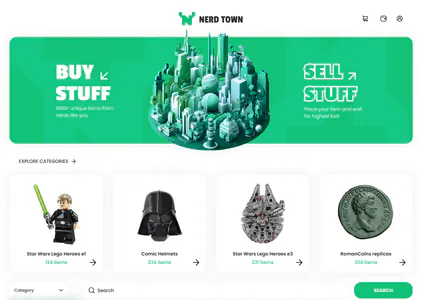
The shop has three jobs. The main page opens on two of them, Buy Stuff and Sell Stuff; paying runs through the wallet.
Buy a collectible
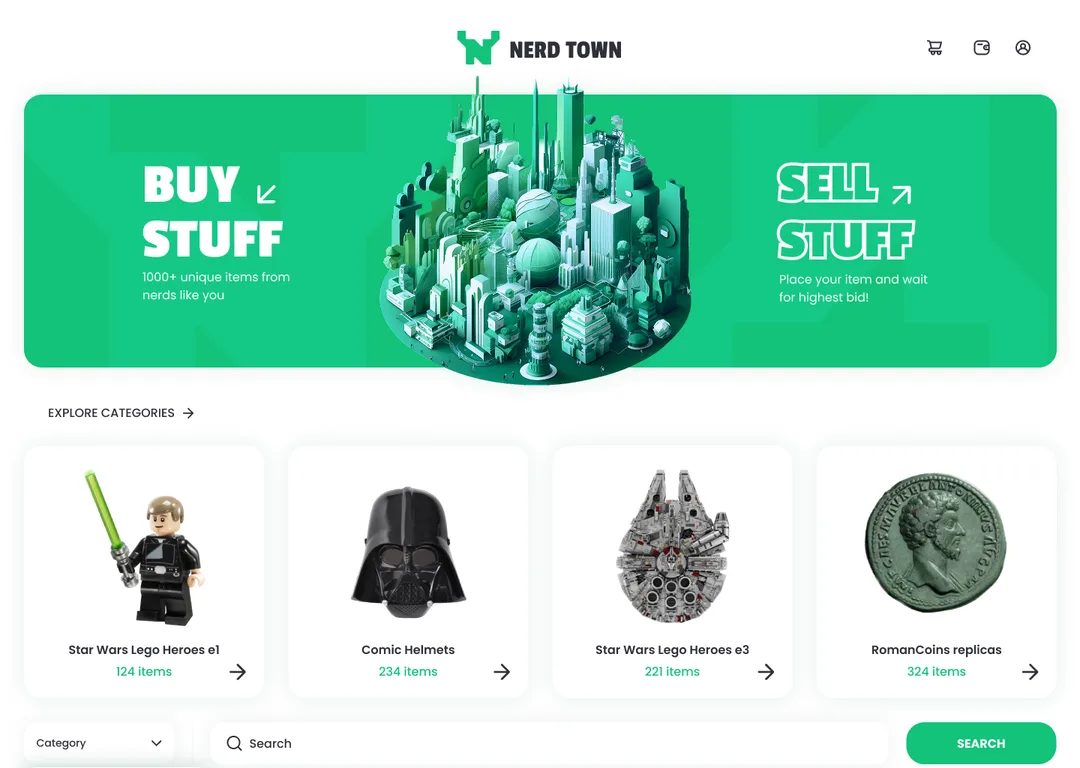
Explore categories on the main page
Below the main page’s two doors, Explore categories shows how many items each category holds. Under the item, a listing shows Similar items and Recently viewed. In the cart, a stepper changes the quantity and a delete button takes the item out.
Sell a collectible
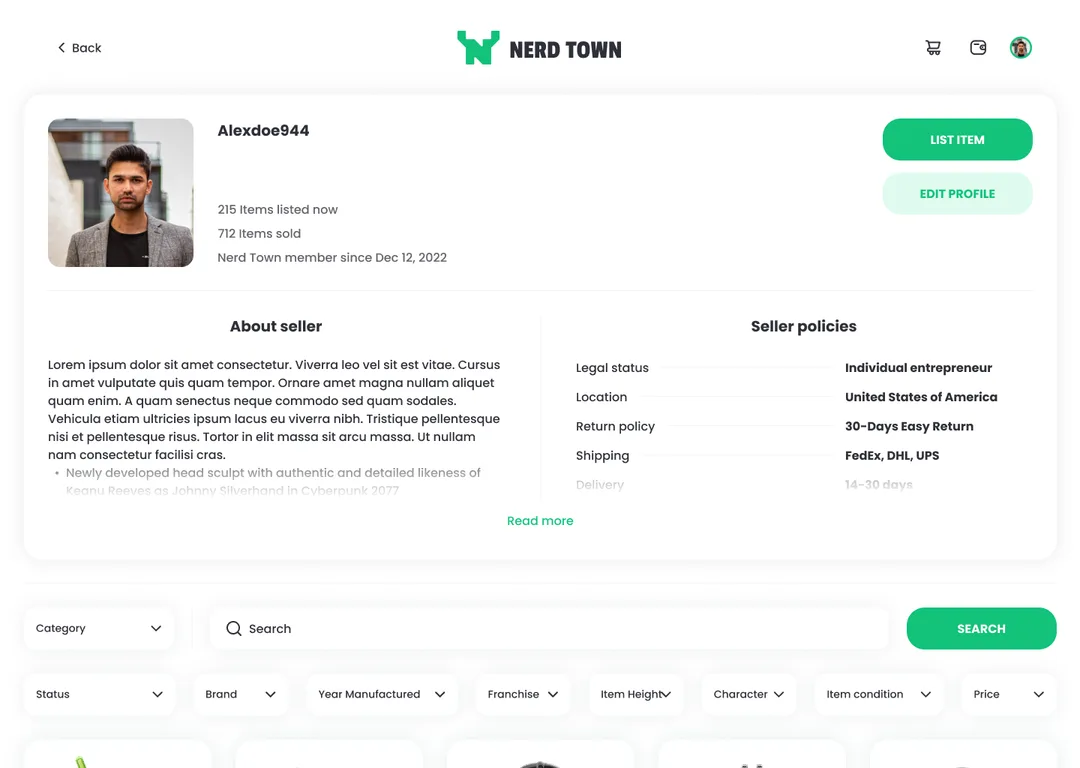
List item on your own page
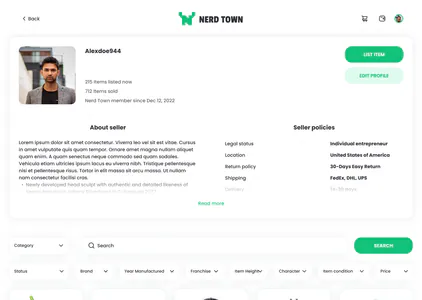
Your own page has List item and Edit profile on your card, beside the items you have listed and sold. Seller policies set out your returns, shipping and delivery, and a Status filter narrows your items.
Pay and get paid
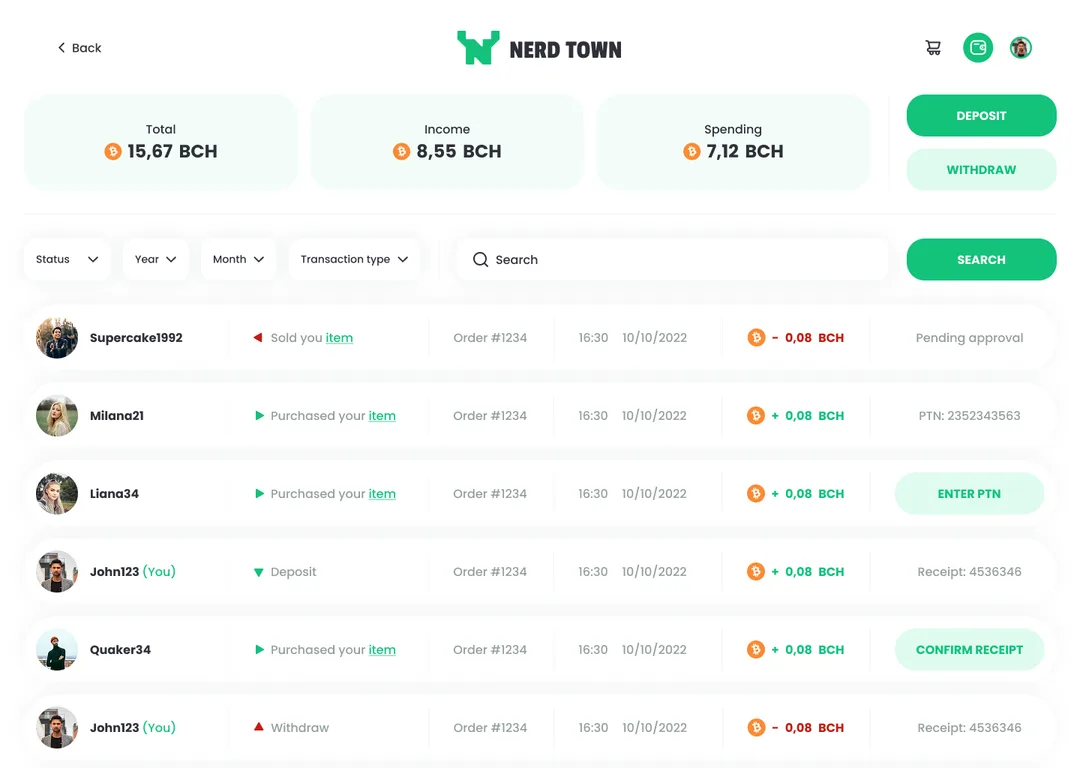
The wallet’s history and filters
Status, Year, Month and Transaction type narrow the wallet’s history, and a search finds a single row. Deposits and withdrawals are rows of that history too, each with its receipt number, among the sales and purchases.

Popular items
Browse figures, helmets, cards and coins, each with its price in BCH.
Fill in the delivery address in the cart and press Buy: the payment is processed and the seller is notified.
Deposit, withdraw and approve a sale from the same wallet, where each order keeps its tracking number and receipt.
Put a figure, a helmet or a card up for sale in BCH. Buyers pay from the in-app wallet, and the sale waits for your approval.
Flow
From a category in the menu to a parcel on its way
Pick a category
Open the menu and choose a kind of item.
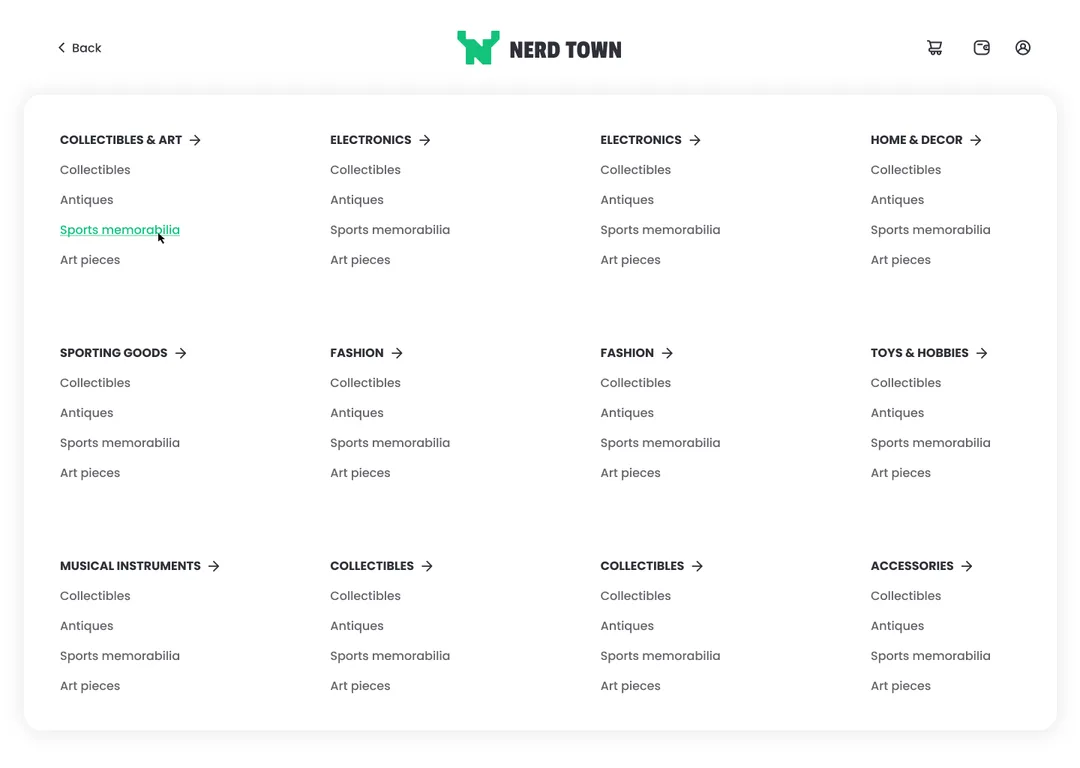
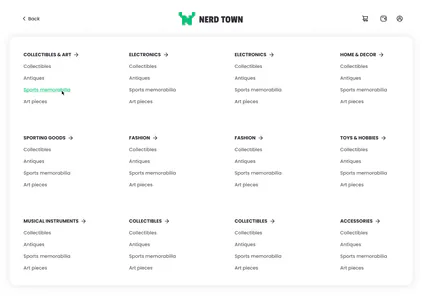
The menu opens as one panel over the page. Each heading is set in capitals with an arrow, a short list stands under it, and the entry under the pointer is green and underlined. Open the item
Add it to the cart, or to Wishlist.
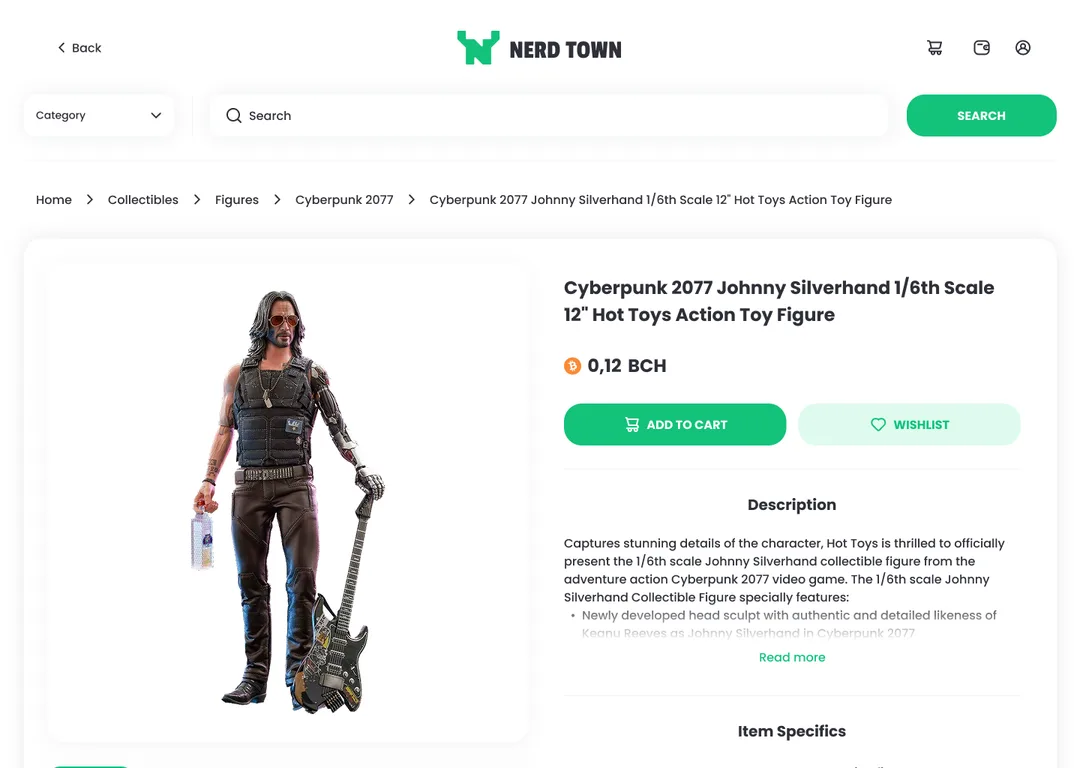
Category and Search stay at the top of the item’s page, and the price sits right above Add to cart and Wishlist, each button with an icon of its own. Send the order
Check the cart, then press Buy.
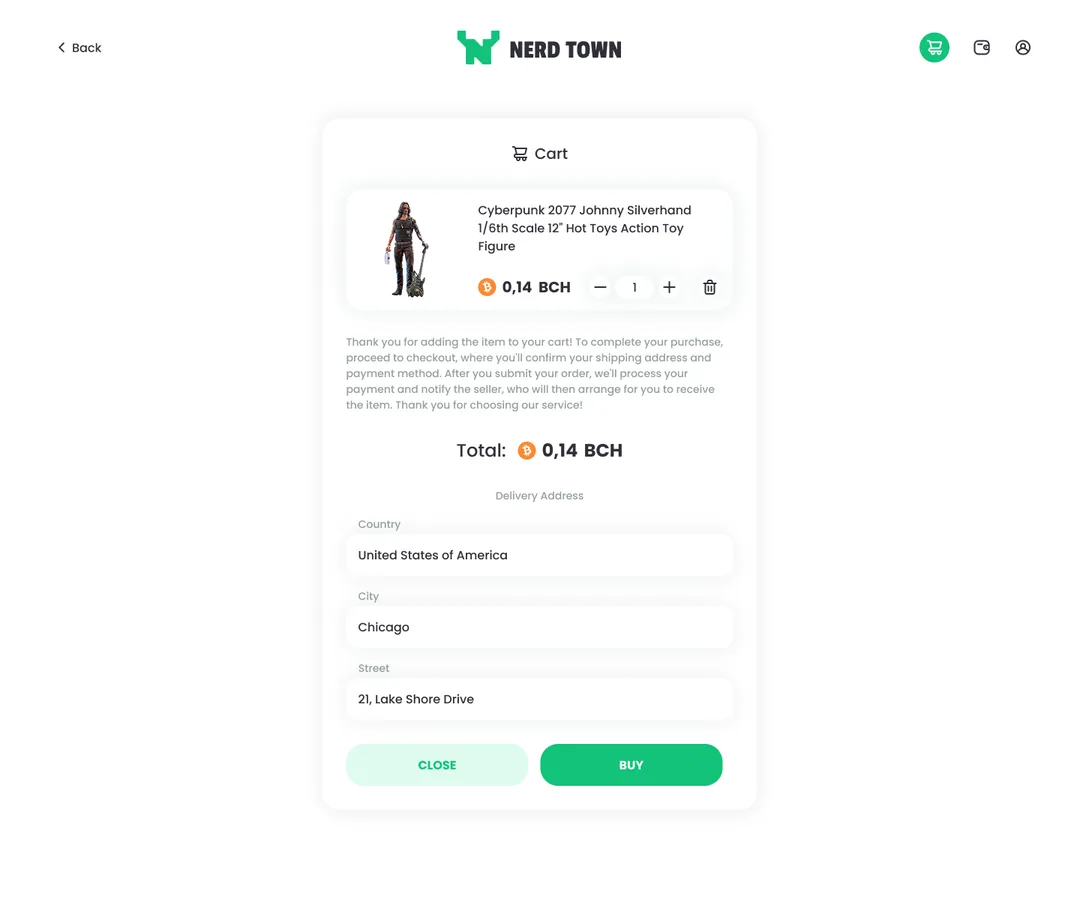
The cart is one card, read top to bottom: the item, a note on what happens once the order is sent, the total, the delivery address, then Close or Buy. Approve the sale
The seller sees the item, then approves.
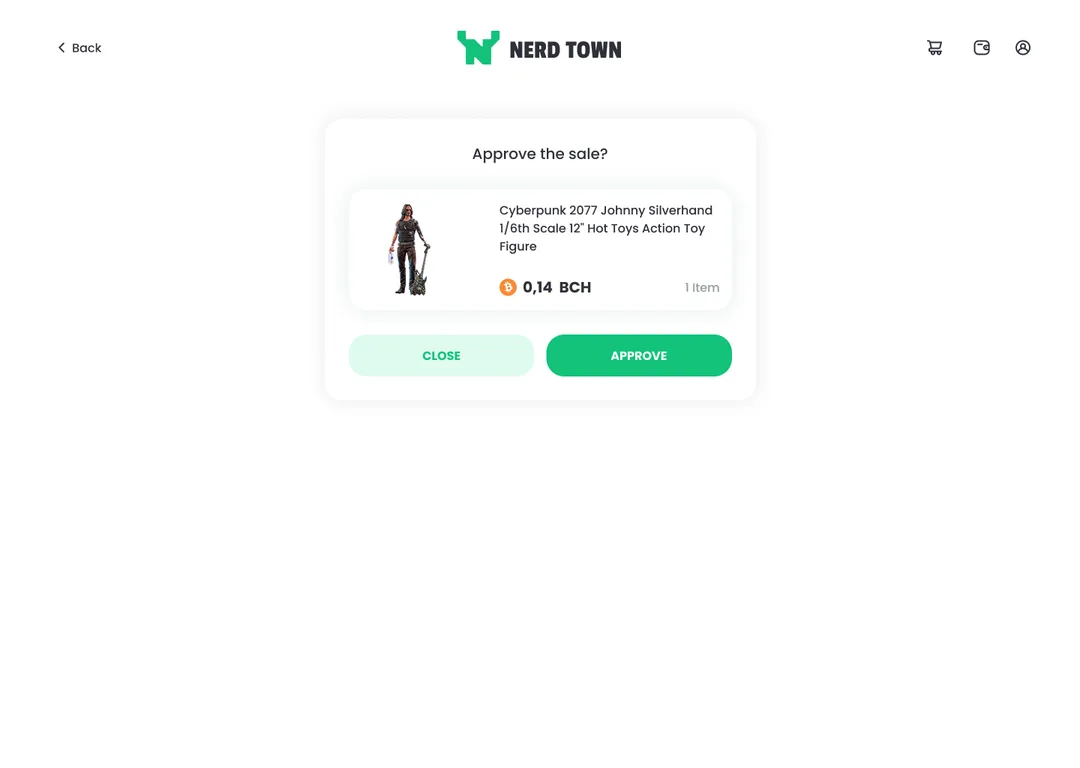
One card on an otherwise empty page asks “Approve the sale?” Under the question come the item, its price and the number of items, then Close or Approve. Add a tracking number
The seller can add the parcel’s number.
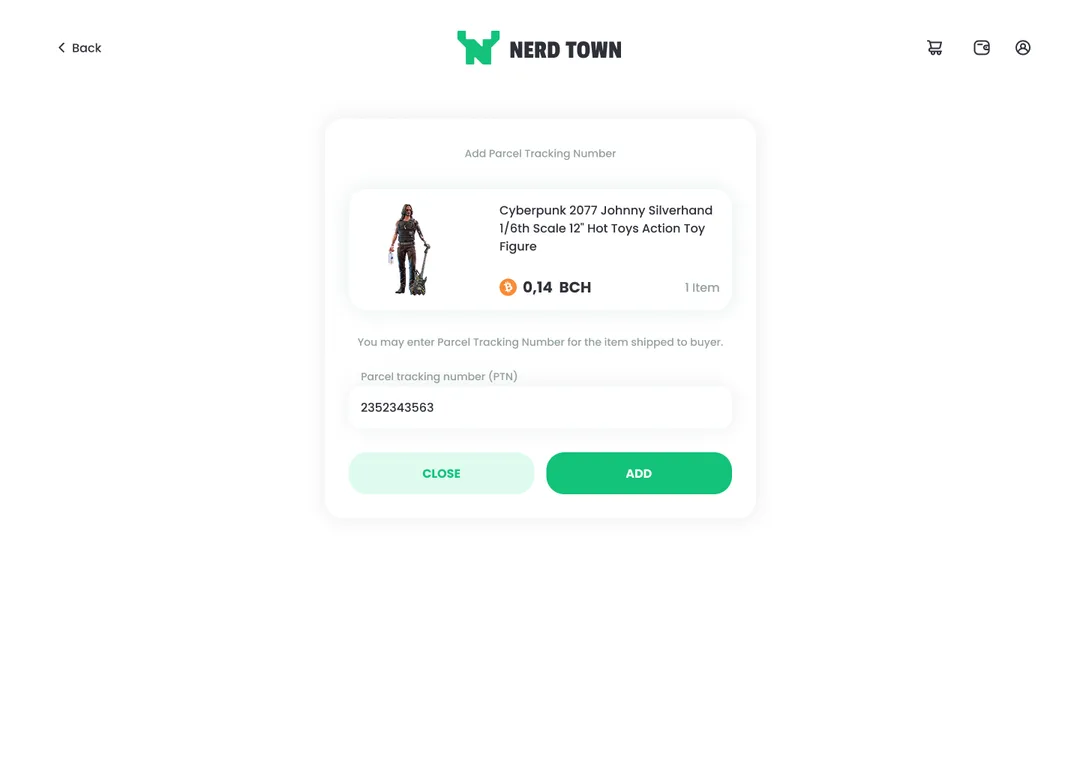
The dialog keeps the same item and its price, says the seller may enter the parcel’s tracking number, and has one field for it, then Close or Add. Once added, the number shows on the buyer’s and the seller’s wallet rows.
States
Beyond the happy path
Your own listing
Opened by its seller, an item shows List item and Edit item where buyers see Add to cart and Wishlist.
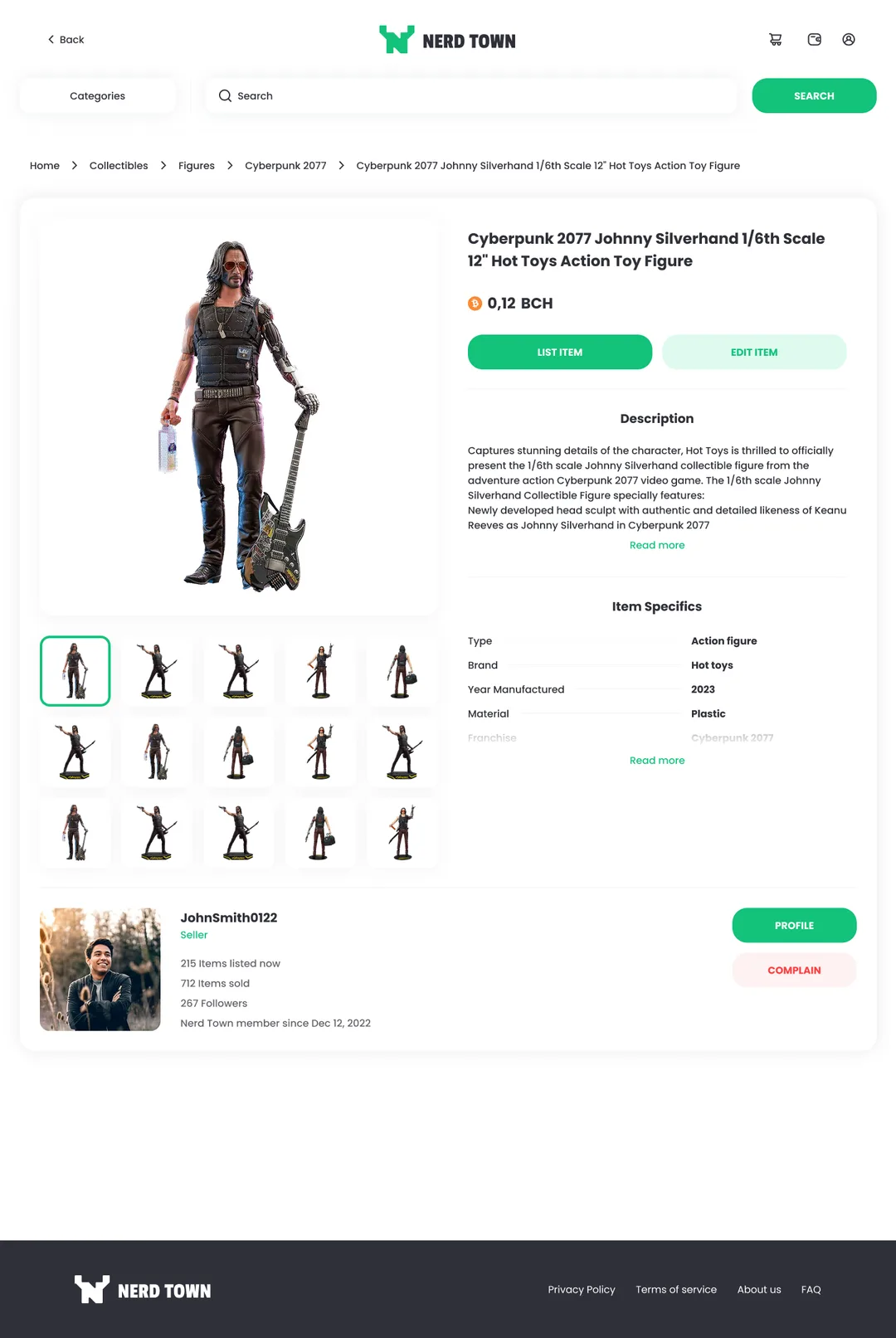
The page ends after the seller card, with no Similar items.
Confirm or refund
An item already bought has a dialog of its own, with Cancel & refund beside Confirm.
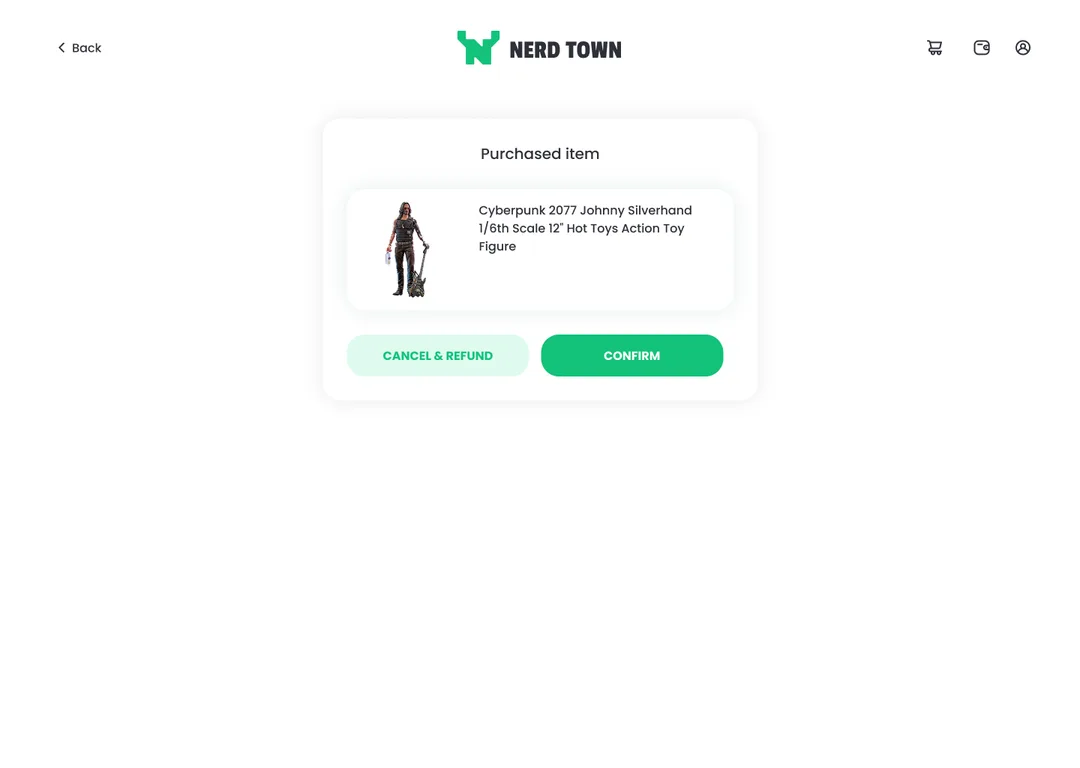
The dialog names the item and leaves its price out.
Sending money out
Before Bitcoin Cash leaves for another wallet, the dialog asks to double-check the address.
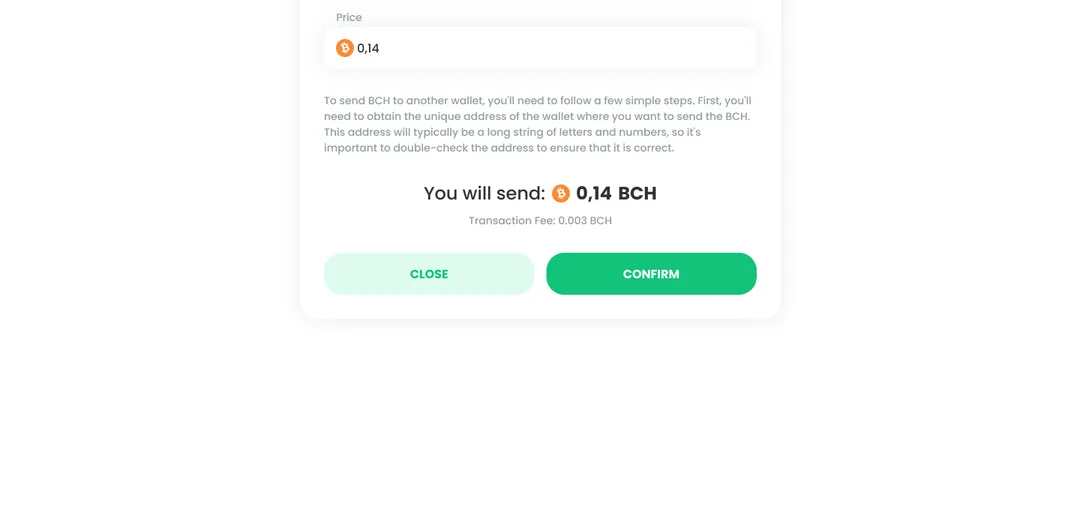
An address, it warns, is a long string of letters and numbers.
System
A shop that handles money needs one visual language
Most screens of Nerd Town ask for a decision: open an item or keep browsing, buy or close, approve a sale or wait. Colour, type and controls are decided once, so each choice looks the same wherever it comes up, in the catalog, in a dialog or on a wallet row.
The style guide sets a green primary with a dark ink and a pale mint, and Poppins for headings and body. On the screens the green is the step forward and money coming in, the mint is the choice beside it, and a grey-green sage carries the details. A deep red marks money going out, and orange is kept for the Bitcoin Cash mark beside an amount.
Colours
Pick a colour on the wheel
- Inner ring: the primary and its greens, lightest to ink
- Outer ring: the wallet’s red and the coin’s orange, at their own hues
Type
- Top sellersH1 · Poppins Black 32The main page’s section headings
- Successful purchase!H2 · Poppins Medium 20The dialogs’ titles
- Unique items from nerds like youBody · Poppins Regular 16Running text
- Item conditionCaption · Poppins Medium 14The filters’ labels
- BUY STUFFDisplay · Passion One BoldThe main page’s two doors
- Regular 400
- Medium 500
- Black 900
Components
- Button pairFilled green and pale mint, one size
- PriceThe mark first, the figures in bold
- Filter chipsEach opens a list of its own values
- Buy and sell doorsOne solid, one outlined, on the shop’s green
- Seller cardComplain in a red of its own, on a pale fill
- Wallet rowsAn arrow and a sign before each amount



Delivered
A marketplace you can browse, buy in, and pay from
What “complete” means here
- CatalogFrom the front door to an item’s own page.
- CartWith and without the delivery address.
- EscrowThe phone adds the parcel number to approval.
- WalletOn the phone, each row is its own card.
Each step has screens of its own; the admin dashboard the brief also named has none.
The delivered design connects the catalog, the listing, the cart, the Bitcoin Cash wallet and seller approval in one experience. I owned the UX and UI across them, from the brief to the detailed screens.
Delivered designThis covers the delivered design for desktop and phone: marketplace, listing, cart, wallet, escrow, seller and account screens.

Popular items
Browse figures, helmets, cards and coins, each with its price in BCH.
Fill in the delivery address in the cart and press Buy: the payment is processed and the seller is notified.
Deposit, withdraw and approve a sale from the same wallet, where each order keeps its tracking number and receipt.
Put a figure, a helmet or a card up for sale in BCH. Buyers pay from the in-app wallet, and the sale waits for your approval.
Reflection
What I’d keep, change and validate next
What I’d keep
The hold behind every step
After Buy, the success screen’s promised update, the wallet’s statuses and the parcel step all rest on it.
What I’d change
One rule for both sides
The Sell Stuff door says to wait for the highest bid, yet no buyer can bid. I’d add a bid next to Add to cart.
What I’d validate next
Trust, with no data
Is a seller’s card with no reviews enough to pay a stranger? Does Pending approval tell a buyer enough?